Tax Details on Your Documents
Open Studio → Website → Details → Tax & invoice.
Subtitle: Tax identifiers and invoice defaults.
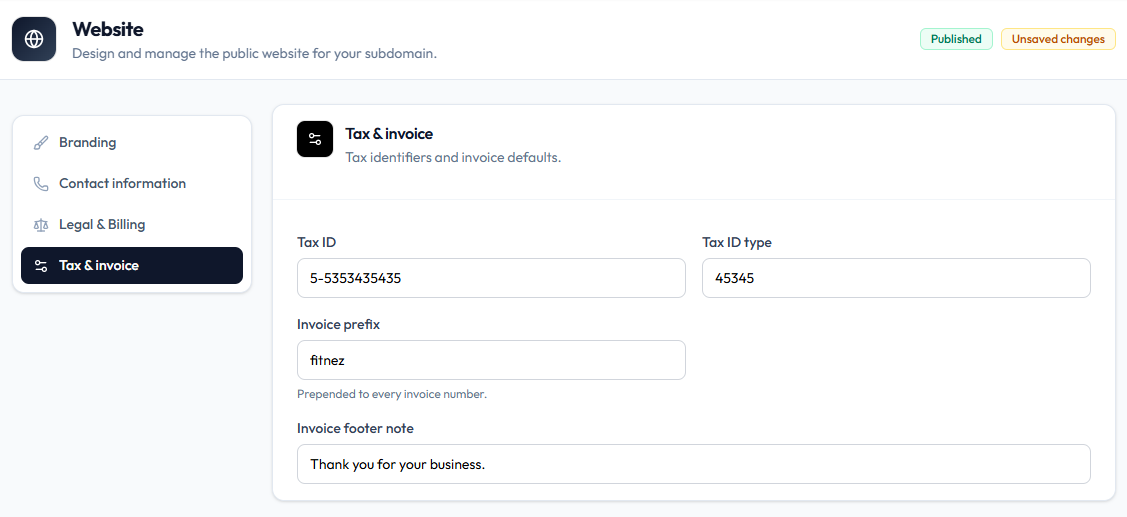
When you edit this panel, the header can show Published and Unsaved changes.
Tax Fields
| Field | Example on capture |
|---|---|
| Tax ID | 5-5353435435 |
| Tax ID type | 45345 |
This page does not assume VAT, GST, or a specific national scheme — use the values your studio needs.
Invoice numbering fields on the same screen are covered in Invoice Prefix & Footer.
Steps
Step 1 — Open Tax & invoice
Studio → Website → Details → Tax & invoice.
Step 2 — Enter tax identifiers
Fill Tax ID and Tax ID type.
Step 3 — Save
Save so Unsaved changes clears. Optionally download an invoice from a test sale to verify the print.
Related Articles
Last updated on