Viewing Your Profile
User profile is your own staff account. It is not a client record and not another person’s Member Detail on Members.
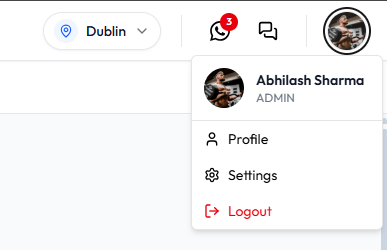
Open From the Header
- Click your photo in the header.
- Click Profile.
The menu shows your photo, name, and role. Example: Daniel Murphy and ADMIN, working in Dublin, Ireland.
Open From Settings
- Click your photo, then Settings.
- Under Account (Your personal profile and security.), click Profile.
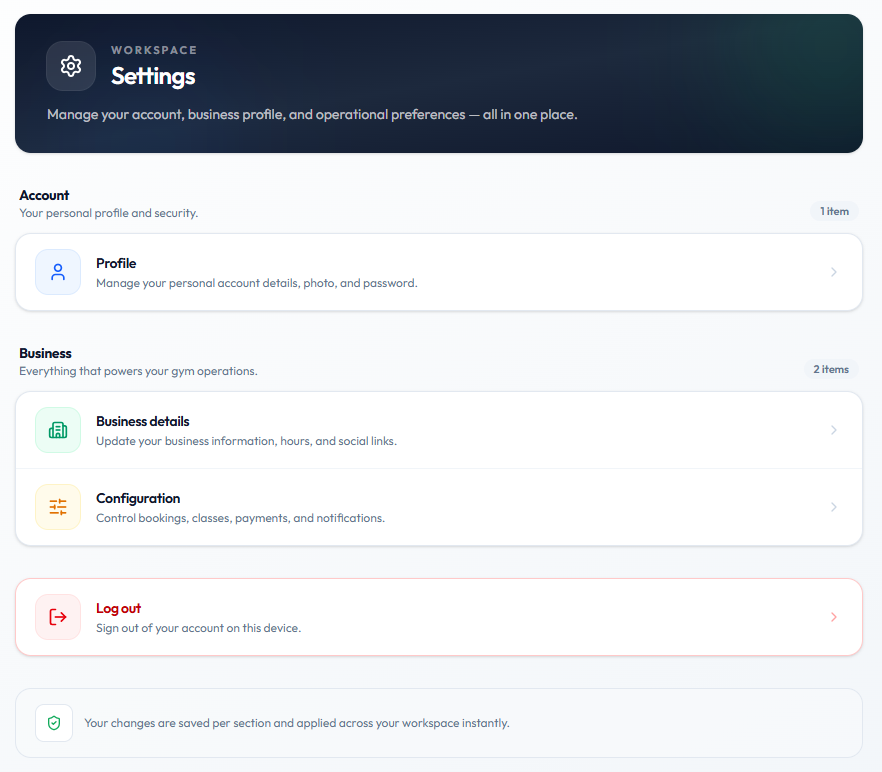
The page heading is WORKSPACE Settings. Description: Manage your account, business profile, and operational preferences — all in one place.
Profile is described as: Manage your personal account details, photo, and password.
On the same Settings page:
| Item | On-screen description |
|---|---|
| Business details | Update your business information, hours, and social links. |
| Configuration | Control bookings, classes, payments, and notifications. |
| Log out | Sign out of your account on this device. |
The footer on Settings says: Your changes are saved per section and applied across your workspace instantly.
Business details and Configuration are not User profile. See Settings and Website & Branding.
What User Profile Shows
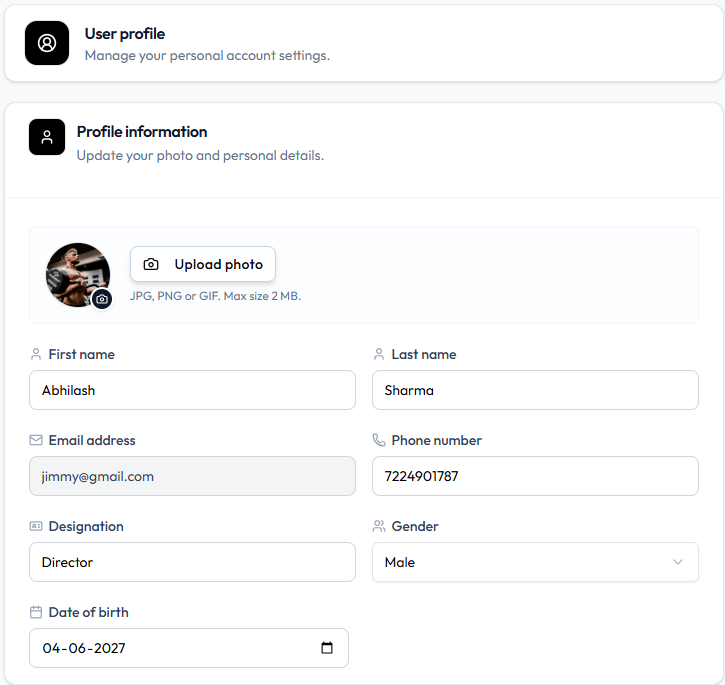
Page title: User profile. Subtitle: Manage your personal account settings.
Card title: Profile information. Subtitle: Update your photo and personal details.
| Field | Example | What it is used for |
|---|---|---|
| Photo | Circular picture, camera badge, Upload photo | Your avatar in the header and menus |
| First name | Daniel | Identifies you |
| Last name | Murphy | Identifies you |
| Email address | daniel.murphy@email.com | Login / contact. Grey background — not edited like the other fields |
| Phone number | +353 87 555 0123 | Contact |
| Designation | Front Desk | Job title |
| Gender | Male | Profile detail |
| Date of birth | Date picker | Profile detail |
Helper under the photo: JPG, PNG or GIF. Max size 2 MB.
Role is not a field on this form. It is ADMIN on the header menu. See Understanding Your Role.
Lower on the same page (shown when the full profile is captured), the Password card starts with Change password. See Changing Your Password.
User profile does not list permission keys. See Checking What You Are Allowed to Do.