Invoice Prefix & Footer
Invoice prefix and footer are on Studio → Website → Details → Tax & invoice, next to the tax fields.
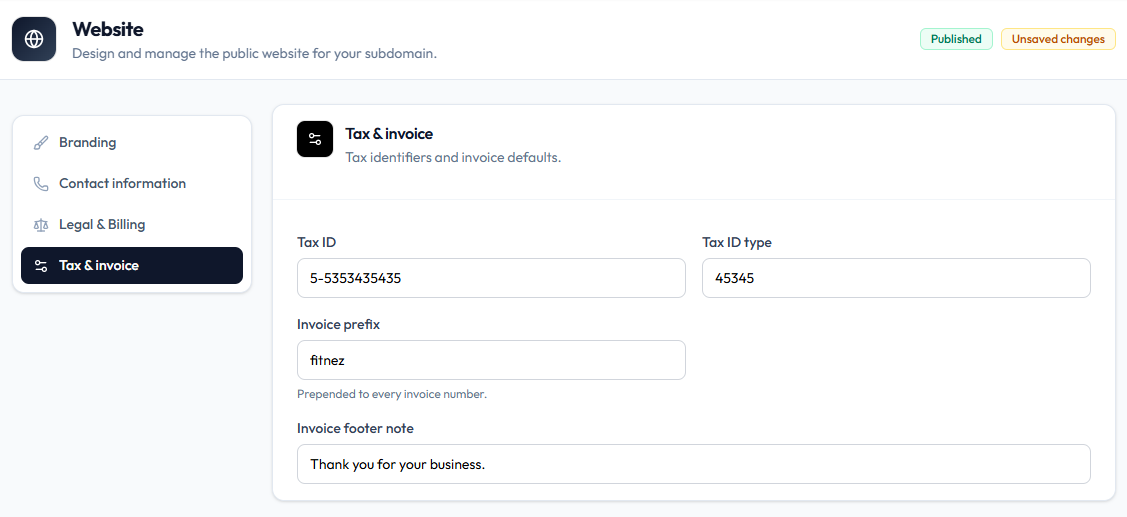
Fields
| Field | Example on capture | Help text |
|---|---|---|
| Invoice prefix | fitnez | Prepended to every invoice number |
| Invoice footer note | Thank you for your business. | — |
These are document defaults. Website logos and theme are separate under Branding and Theme.
Sales also documents invoice customising under Invoice settings. Use the labels on this Website screen when you edit from Tax & invoice.
Steps
Step 1 — Open Tax & invoice
Studio → Website → Details → Tax & invoice.
Step 2 — Enter prefix and footer
Set Invoice prefix and Invoice footer note.
Step 3 — Save
Save Details. New invoices should pick up the change. Whether old invoices rewrite is not confirmed.
Related Articles
Last updated on