Troubleshooting — Emails Not Received
Automated mail is Studio → Notification → Email Notification. This is not the header bell (staff inbox).
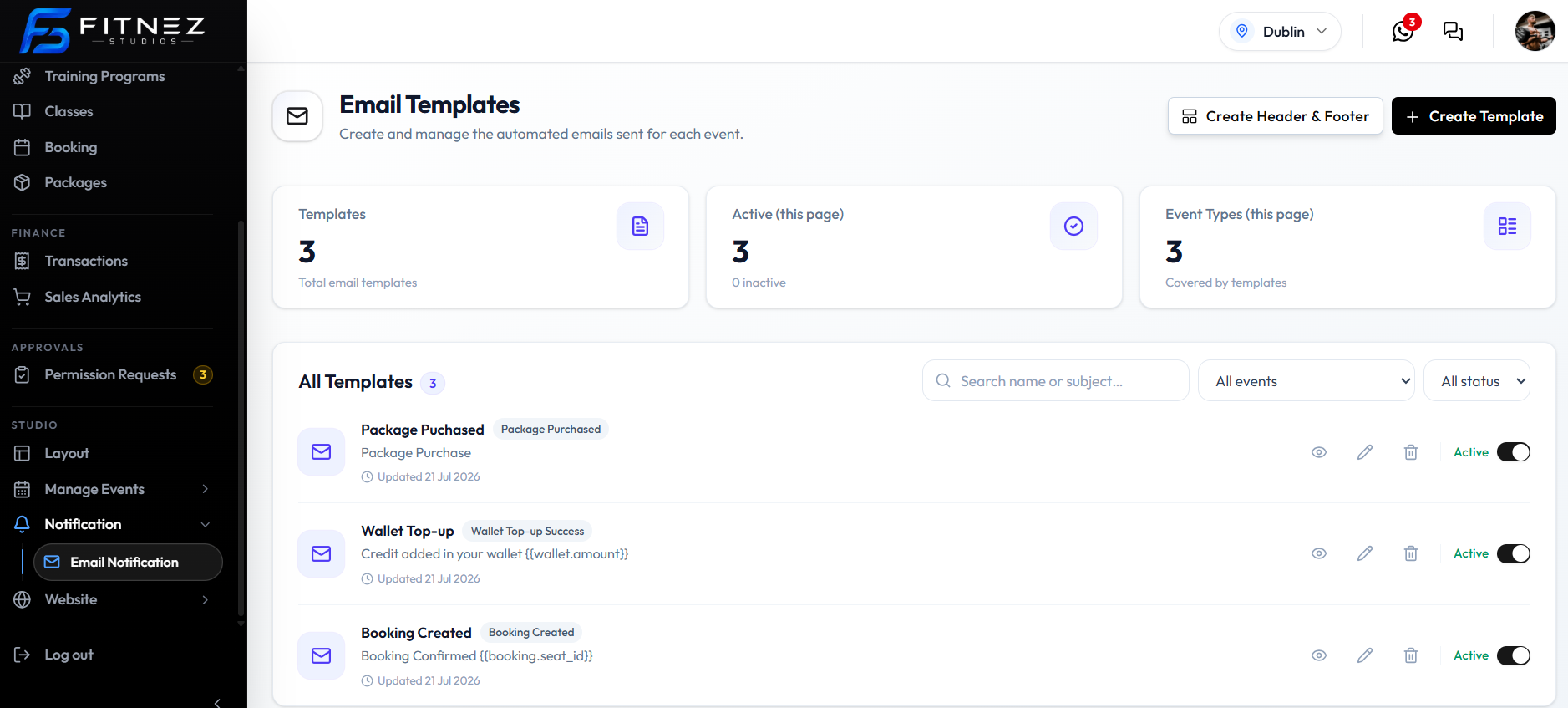
There is no delivery-status or bounce screen in the current captures. Do not invent a send-time or an error log.
Why Did the Member Not Receive the Email?
Check in this order:
- Is there an Active template for that Event Type? Caption: Active — used for automatic sends.
- Does the template match the event that happened (for example Booking Created, not a different type)?
- Is Emma Wilson’s email correct on Clients?
- Did the event actually occur (booking created, wallet credited, package purchased)?
- Filter All status if the template was turned Inactive. See Turning Notifications on & Off.
Booking Confirmation Not Received
Check these first:
- The booking exists on All Bookings as Confirmed (or was created).
- A template exists for Booking Created and/or Booking Confirmed.
- That template is Active.
- Member email is correct.
The captured Booking Created subject is Booking Confirmed {{booking.seat_id}}.
Class Reminder Not Received
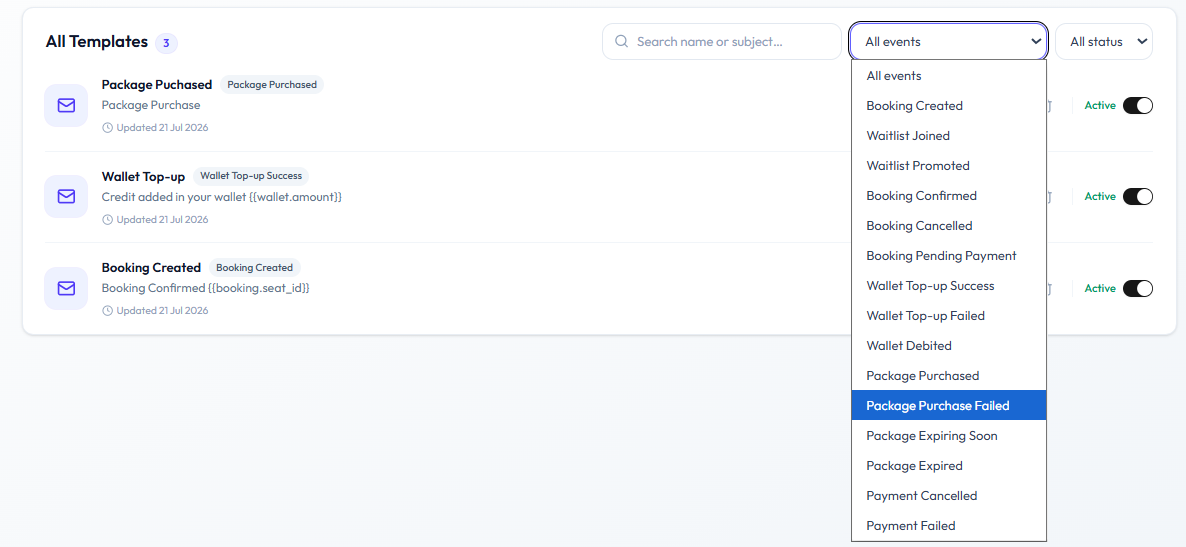
Class reminder is not in the All events list. Do not document a timed reminder from Email Templates.
Booking events that are on the list: Booking Created, Booking Confirmed, Booking Cancelled, Booking Pending Payment.
See Class Reminders.
Waiting-List Email Not Received
Check these first:
- The member was added to the Waiting List.
- Waitlist Joined and/or Waitlist Promoted has an Active template.
- Member email is correct.
Automatic promotion is not fully confirmed. See Waiting-List Update Emails.
Birthday Email Not Received
Birthday is not an Event Type on Email Templates. Date of birth exists on the client form; that does not mean Fitnez Studio sends a birthday email.
See Birthday Messages.
If there is no Active template for an event, that event should not send automatically.