Search & Filter Clients
Use the Clients page to find a member quickly. You can search by name, filter by status, or open Advanced filters.
The search field, All Status, and Advanced filters sit above the table on Clients.
How to Search
Use search when you already know who you are looking for.
Step 1 — Open Clients
Open People → Clients.
Step 2 — Type in Search
Click Search… and type what you need to find, such as a name.
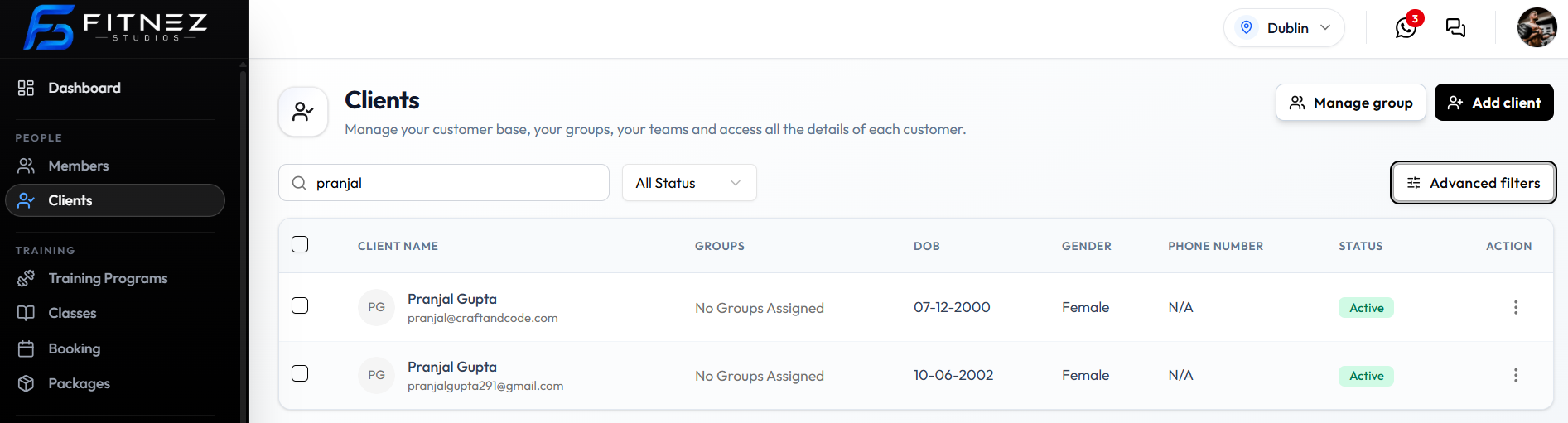
The CLIENT NAME column shows the name and the email underneath, so you can tell people apart if names are similar.
This guide does not list every field that search matches. Name and email are what you see in the name column.
How to Filter by Status
The filter next to search is labelled All Status. Use it when you want the list limited to one status instead of everyone.
Step 1 — Open All Status
Open People → Clients, then click All Status.
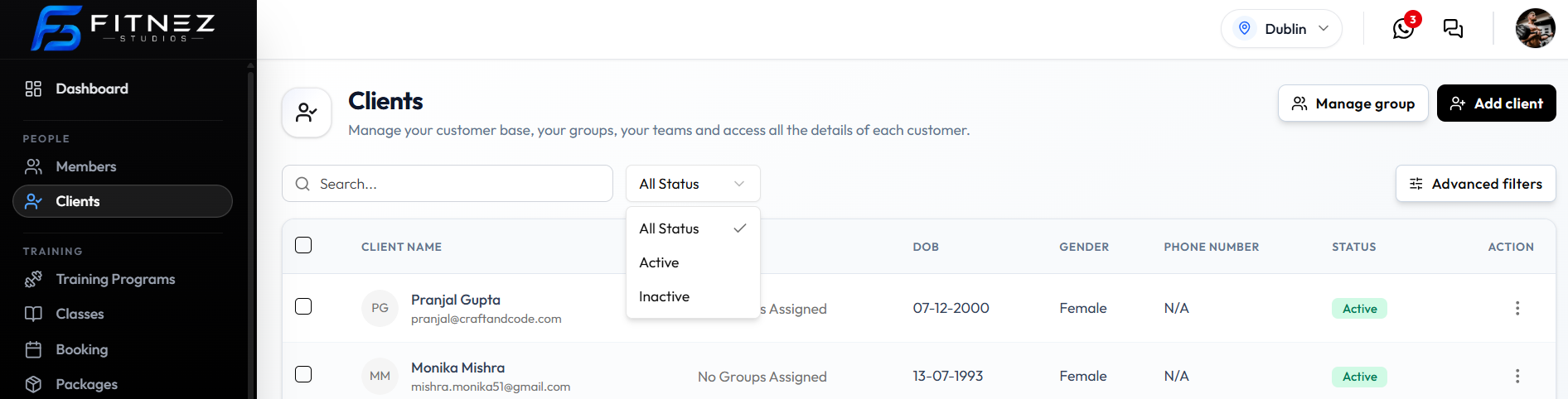
Step 2 — Choose a Status
| Option | What it is for |
|---|---|
| All Status | Every client (selected in this screenshot) |
| Active | Clients with status Active |
| Inactive | Clients with status Inactive. See Block & Unblock a Client |
Advanced Filters
To the right of All Status is Advanced filters.
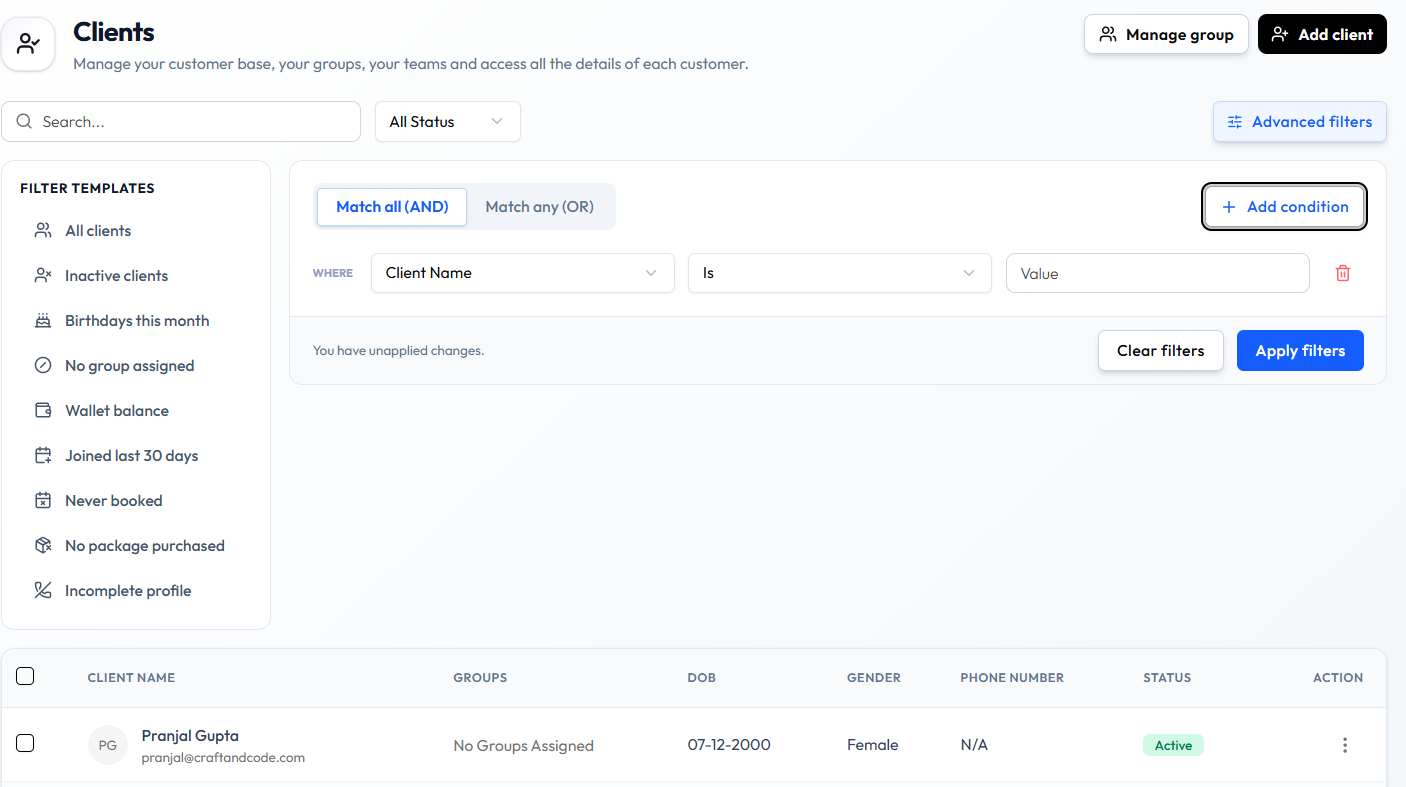
The panel includes:
| Item | What it is |
|---|---|
| Templates (left) | All clients, Inactive clients, Birthdays this month, No group assigned, Wallet balance, Joined last 30 days, Never booked, No package purchased, Incomplete profile |
| Match all (AND) / Match any (OR) | How multiple conditions combine |
| WHERE | A condition row: a field (such as Client Name), an operator (such as Is), and Value |
| + Add condition | Adds another condition |
| Trash icon | Removes that condition |
| You have unapplied changes. | Shown before you apply |
| Clear filters | Clears the filters |
| Apply filters | Applies the filters |
Template names are confirmed on this screen. This guide does not describe the result of each template until those results are captured.
After You Search or Filter
The table shows the matching clients. Open View Profile from the row menu when you need Client Detail.