Choosing Which Sections Appear on Your Site
Open Studio → Website → Sections.
The page still uses the Website title. Tabs at the top are Sections (active) and SEO.
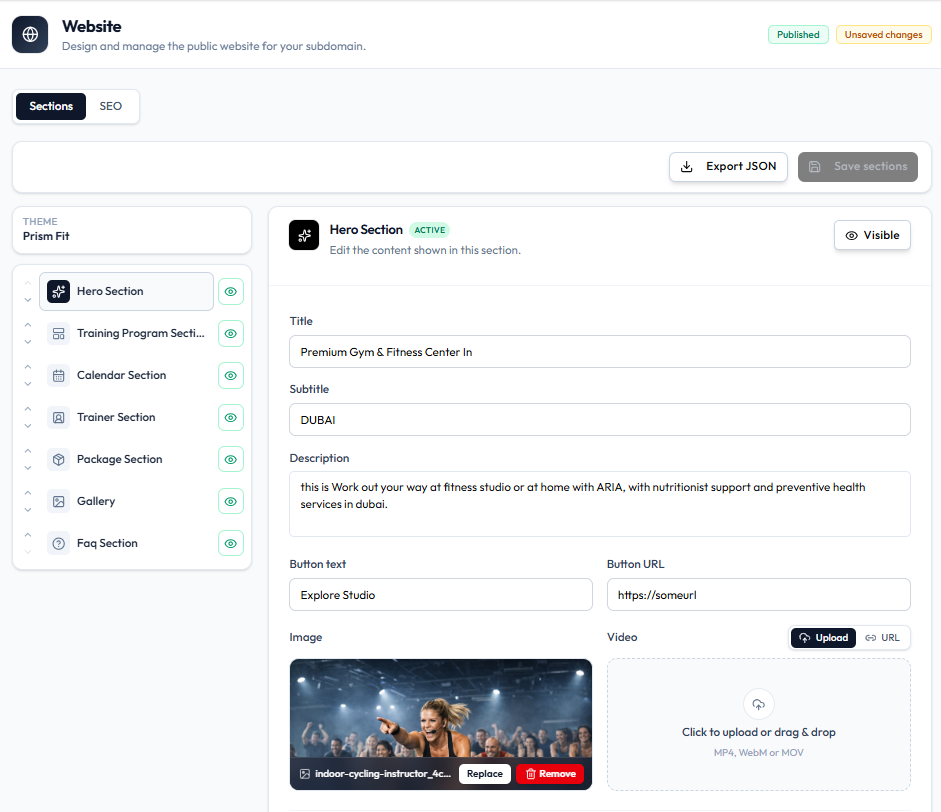
The left list shows THEME: (for example THEME: Prism Fit).
Sections on the Capture
Each row has a drag handle and an eye (visibility) control:
| Section |
|---|
| Hero Section |
| Training Program Section |
| Calendar Section |
| Trainer Section |
| Package Section |
| Gallery |
| FAQ Section |
The selected section (for example Hero Section) shows ACTIVE and a Visible toggle in the editor.
Use the eye on the list (or Visible on the editor) to show or hide a section without deleting Classes, Packages, or trainers.
Hero Section Fields
When Hero Section is selected:
| Field | Example on capture |
|---|---|
| Title | Premium Studio & Fitness Center In |
| Subtitle | DUBAI |
| Description | Longer intro text |
| Button Text | Explore Studio |
| Button URL | https://someurl |
| Image | Preview, filename, Replace, Remove |
| Video | Upload MP4, WebM, or MOV, or URL |
Further down the same editor:
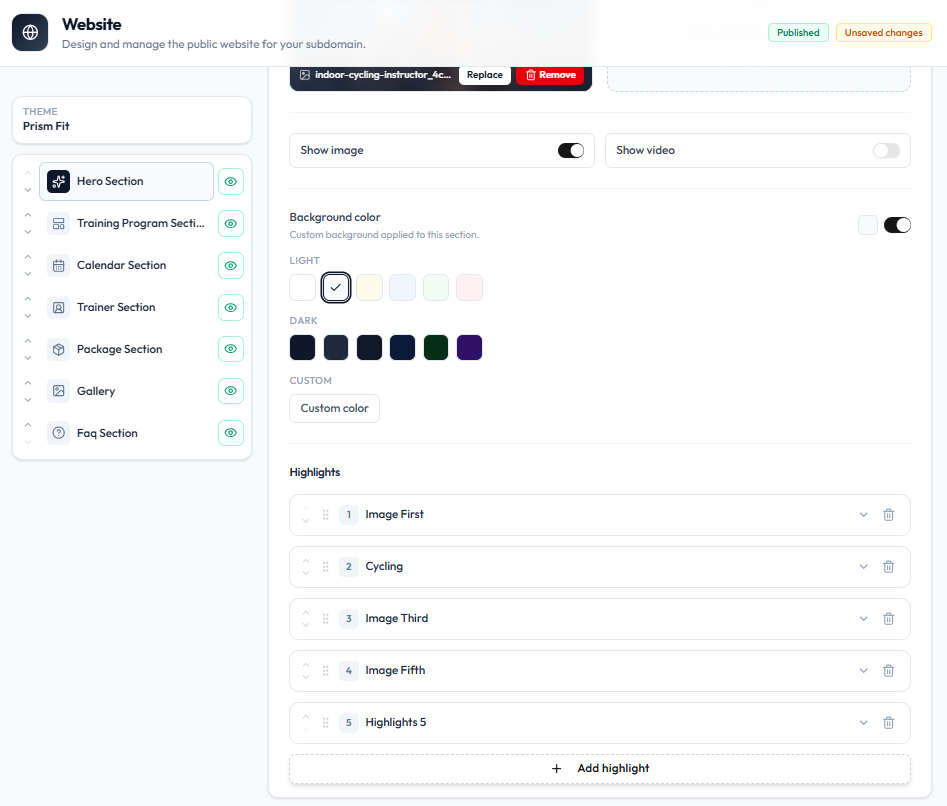
- Show image / Show video toggles
- Background Color — LIGHT / DARK presets, or Custom color
- Highlights — numbered items with drag handles, expand, delete, and + Add highlight
Save
Header actions: Export JSON and Save sections. Published and Unsaved changes can both show while you edit.
SEO Tab
Open SEO. Subtitle: Search metadata for your site.
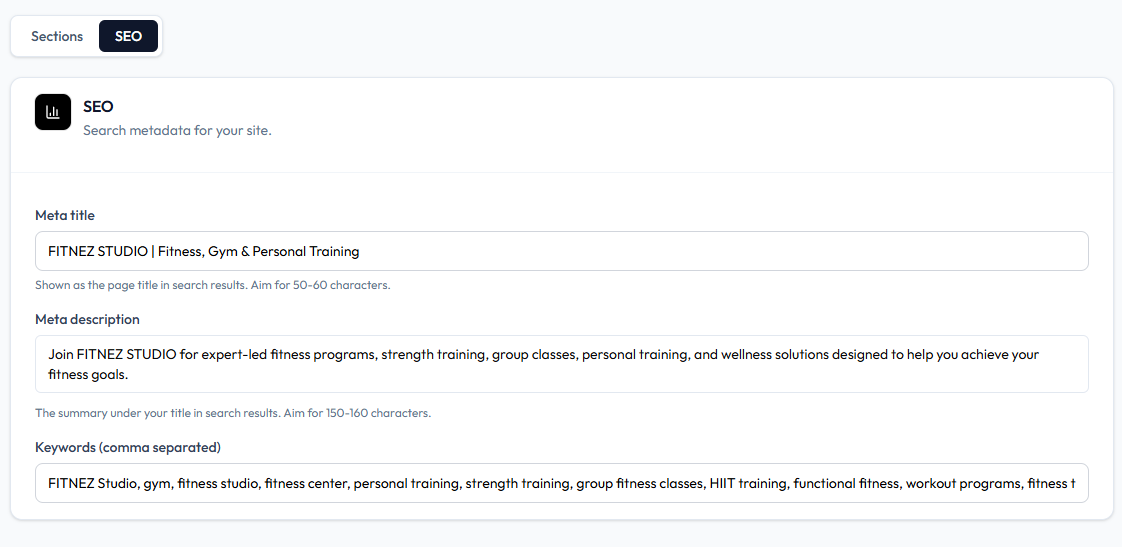
| Field | Help text |
|---|---|
| Meta title | Shown as the page title in search results. Aim for 50-60 characters. |
| Meta description | The summary under your title in search results. Aim for 150-160 characters. |
| Keywords (comma separated) | Keyword list |
Steps — Show or Hide a Section
Step 1 — Open Sections
Studio → Website → Sections.
Step 2 — Select the Section
Click a section in the left list (for example Hero Section).
Step 3 — Toggle Visibility
Use the eye on the list or Visible on the editor.
Step 4 — Save
Click Save sections.
Other section editors (Training Program, Calendar, Trainer, Package, Gallery, FAQ) follow the same list. Open each one to see its fields — only Hero Section is fully captured here.