Troubleshooting — Bookings
Use this page when staff cannot complete a booking for a client in Dublin.
This is Help Center documentation. There is no Troubleshooting screen in the dashboard.
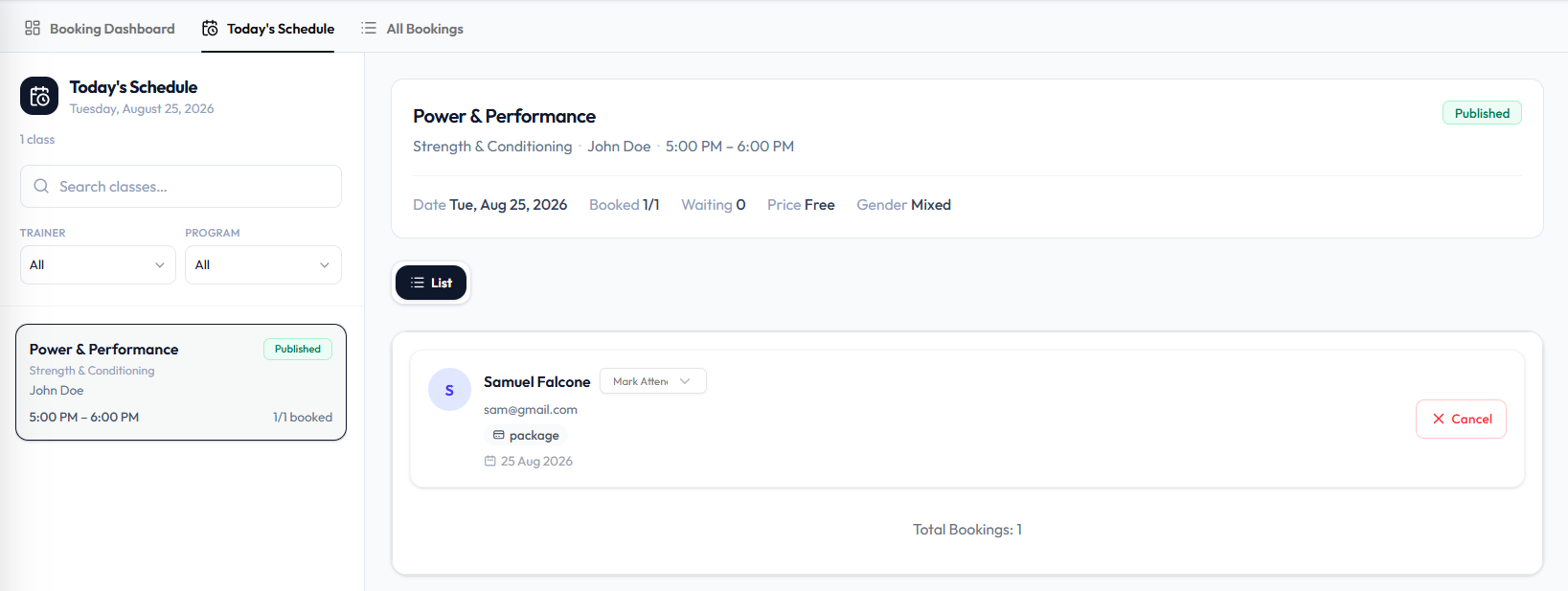
Troubleshooting Table
| Problem | What to check | Where to learn more |
|---|---|---|
| Client cannot be booked | active client, class capacity, location, gender, user package | Book a Member |
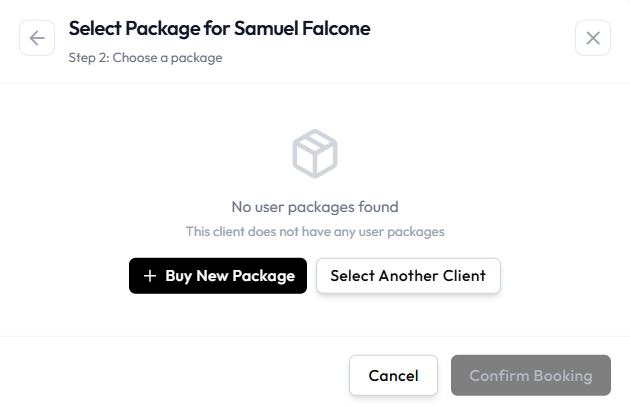
| No user packages found | Buy a package in the book flow, or select another client | Bookings & Package Credits |
| Class not visible (staff) | Draft / Upcoming / Past, location | Class Statuses |
| Class is full | Booked on Today’s Schedule or CAPACITY on Classes | Class Capacity & Waitlist |
| Booking cancelled | Cancel on Today’s Schedule, or ⋯ → Cancel booking | Cancel a Booking |
| Client is waiting | Waiting count vs a Confirmed booking | Waiting List |
Why Can’t This Client Book?
Check these first:
- Open Training → Booking → Today’s Schedule and select the class.
- The client is active when you search in Step 1: Select a client.
- The class has a free place (Booked not full).
- Header Location is the site for that class.
- Class Gender matches if the session is not Mixed. See Gender Restrictions.
- Step 2 has a selectable user package — or use + Buy New Package (Cash or Wallet). See Book a Member.
Booking Rules (advance window, cancellation window) live in Settings.
Do not assume a staff override of capacity. Pending is not a status on All Bookings.
Why Is the Class Not Visible?
On Training → Classes:
| What you see | Meaning |
|---|---|
| Draft | Not published. Use Publish a Class. |
| Upcoming | Published session that has not run yet |
| Past | Date and time have passed |
Also check Location. A public member timetable is not documented here.
Why Is the Class Full?
CAPACITY is booked versus maximum (for example 0/4 empty, 4/4 full). When the first number reaches the second, the class is full.
WAITLIST CAP is how many people may wait. A cap of 0 means that class’s waitlist size is zero.
Staff overriding capacity is not confirmed. Automatic move from waitlist after a cancel is not confirmed. See Move Into the Class.
Why Did the Booking Fail?
There is no failed-booking screenshot. Work through:
- Member eligibility (Active client).
- Package / sessions if the class is package-based. Credit timing is Not Confirmed.
- Class availability (CAPACITY, status).
- Location and gender.
- Booking Rules in Settings.
All Bookings statuses on screen: Confirmed and Cancelled.