Roles
A role is the access you assign when you add a team member. It appears as a badge on their card on the Members page.
Roles Versus User Type
When you invite or create a team member, ACCESS has two required fields. You must choose User Type first. The role list loads after that.
| Field | What it is for |
|---|---|
| User Type | Chosen first. Helper: Select a user type to load its available roles. |
| Role | Chosen second. Only the roles for that user type appear |
A user type is the grouping. A role is the access that appears on the person’s card after you add them.
User Types
On Invite a new member, open User Type to see the list.
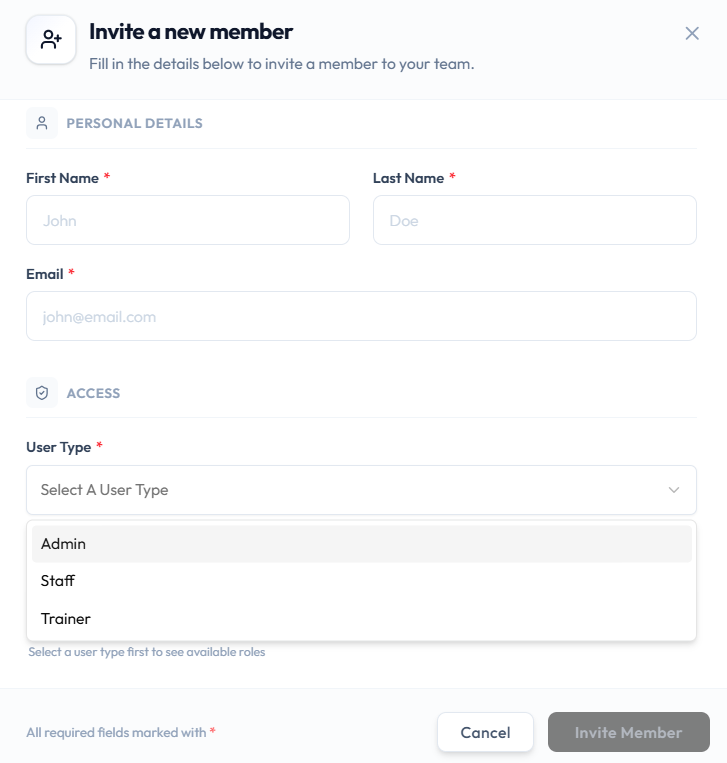
The User Type options are:
- Admin
- Staff
- Trainer
Roles for Each Type
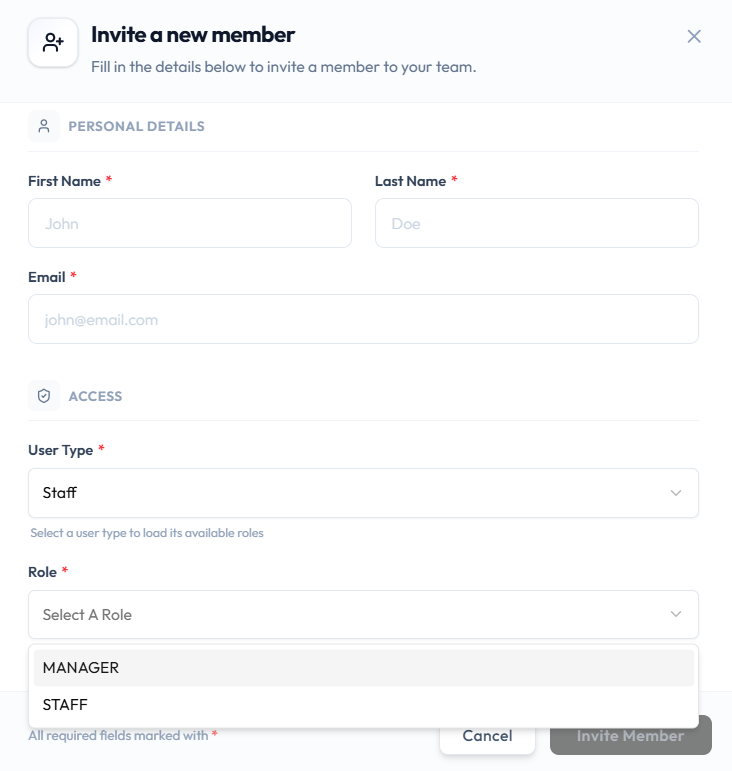
After you pick a user type, open Role.
When User Type is Staff, Role can be MANAGER or STAFF:
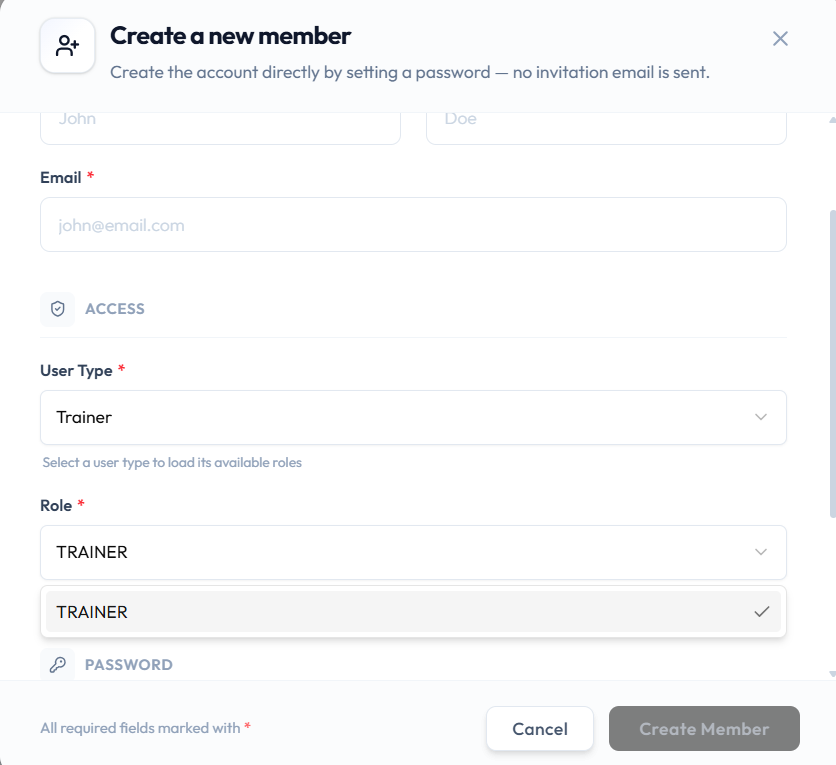
When User Type is Trainer, Role shows TRAINER (this example is on Create a new member):
The Role list for Admin is not in these screenshots. Use the Role dropdown after you select Admin.
Roles Shown on the Members Page
These role badges are visible on team member cards:
| Role | Where it appears |
|---|---|
| Admin | Role badge on a member card |
| Staff | Role badge on a member card |
| Trainer | Role badge on a member card |
There is no Owner badge on the Members cards.
Roles Versus Permissions
- A role is the named set of access you assign (for example Trainer or Staff).
- A permission is a single action or area, such as whether someone can raise or decide on a request.
Fitnez Studio has an Approval Requests page where managers review requests raised by the team. That is one way limited roles can still get work done. See Approval Requests.
There is no screenshot yet of a permission list for Staff, MANAGER, STAFF, or TRAINER. The ADMIN permission set is documented on Checking What You Are Allowed to Do. Approvals → Permission Requests is documented on Approval Requests.
Why Someone May Not See a Button
If a team member cannot see an action that you can see, their role may not include it. A button can also be unavailable for another reason — for example Invite Member stays unavailable until required fields are filled.
Do not assume every hidden or disabled button is a permissions issue.