Activity Feed
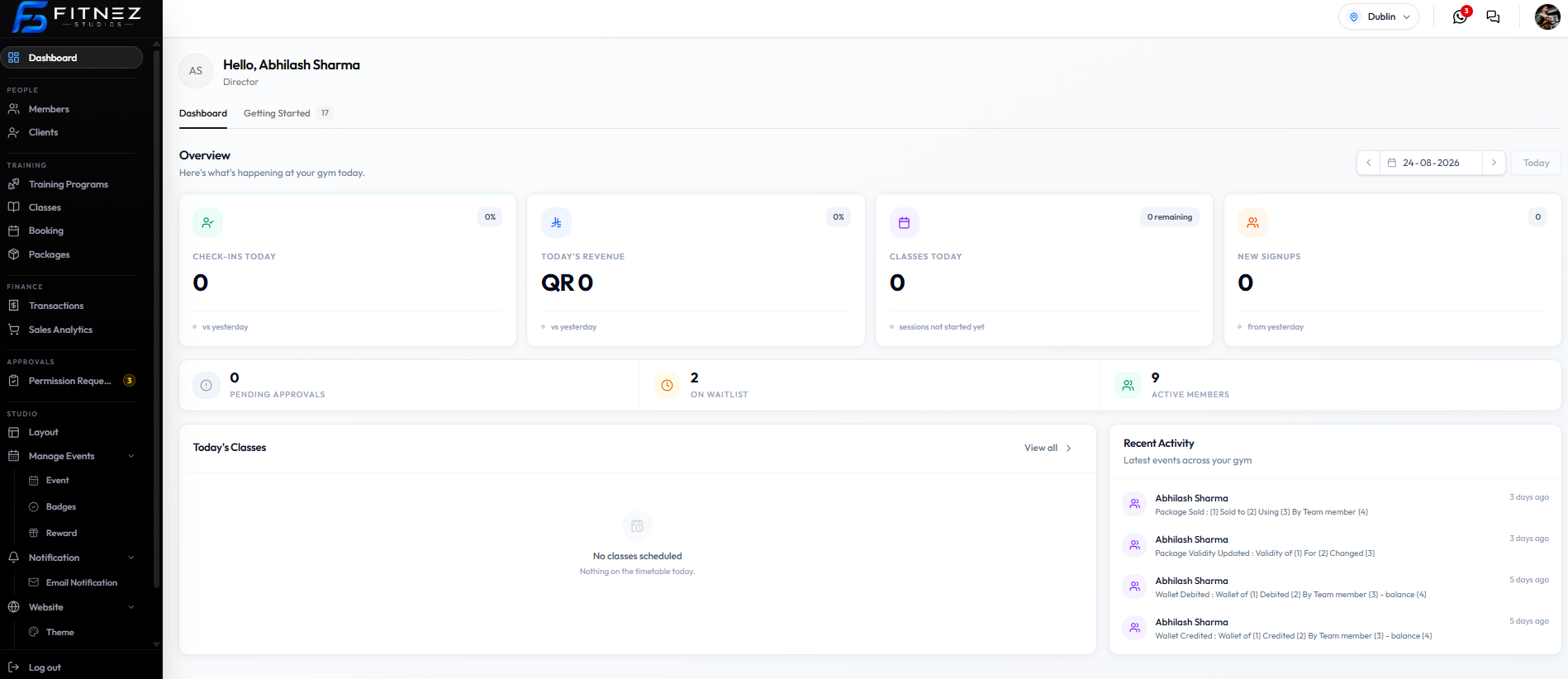
In FITNEZ STUDIO the activity timeline is Recent Activity on the Dashboard. There is no separate Activity Feed page in the sidebar.
The subtitle is Latest events across your studio.
Action → Staff name → When it happened
Where to Find It
- Open Dashboard in the left-hand menu.
- Stay on the Dashboard tab (not Getting Started).
- Scroll to the bottom right: Recent Activity.
Confirm you are in the correct Location. The captured screens use Dublin.
What You See on Each Row
Each row shows:
- Staff initials (for example DM)
- Staff name (for example Daniel Murphy)
- An activity title and description
- A relative time, such as 3 days ago or 5 days ago
On this screenshot the descriptions still show numbered placeholders (1), (2), (3), (4) instead of member or package names. Document what the title says; do not invent the missing names.
Activity Types on This Screenshot
| Title | Description pattern on screen |
|---|---|
| Package Sold | (1) Sold to (2) Using (3) By Team member (4) |
| Package Validity Updated | Validity of (1) For (2) Changed (3) |
| Wallet Debited | Wallet of (1) Debited (2) By Team member (3) - balance (4) |
| Wallet Credited | Wallet of (1) Credited (2) By Team member (3) - balance (4) |
Booking, waitlist, check-in, and check-out rows are not on these captures. Check-Out is not a feature to document. See What the Activity Feed Records.
Date Control on the Dashboard
The date picker sits in Overview (for example 23-08-2026 or 24-08-2026), with arrows and Today.
When another day is selected, Overview can read Showing activity for Sunday 23 August.
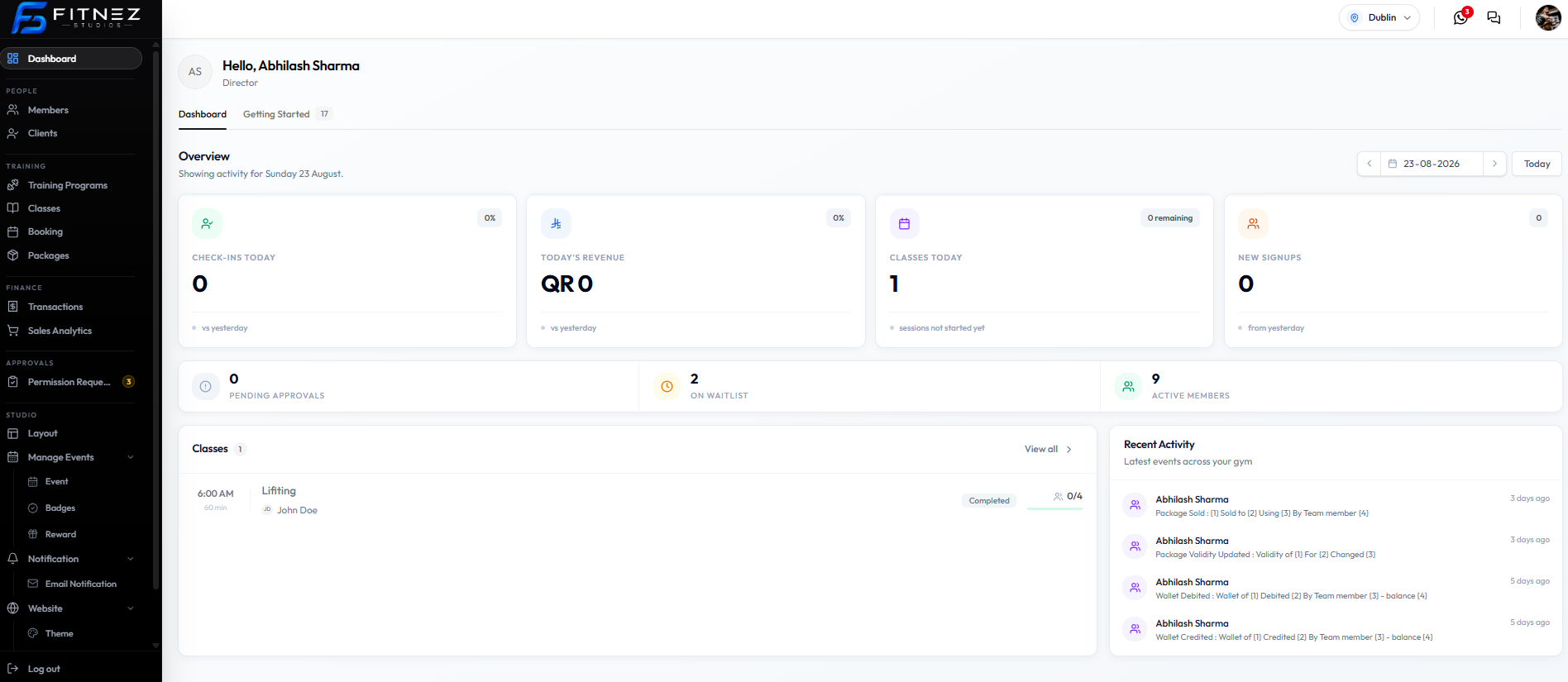
That date control changes Overview numbers and the Classes list for the selected day. On these two screenshots, Recent Activity still shows the same four rows (3 days ago / 5 days ago). Do not treat the date picker as a filter that only applies to Recent Activity until a later screenshot shows the list changing with the date.
There is no staff filter, member filter, or activity-type filter on this screen.
Classes on the Same Page (Not the Activity List)
Today’s Classes or Classes is the bottom-left block. It is separate from Recent Activity.
| Control | Where it goes |
|---|---|
| A class row (for example Lifting) | The class detail page for that class |
| View all > | Class Management (Training → Classes) |
On 23-08-2026 the list shows Lifting at 6:00 AM, 60 min, trainer John Doe, status Completed, capacity 0/4.
On a day with no sessions, the empty text is: No classes scheduled. Nothing on the timetable today.
What You Cannot Do Here
- Open a dedicated Activity Feed URL
- Edit or delete an activity row
- Check a member out (that action does not exist)
- Filter Recent Activity by staff or member on this screen
Use Recent Activity to see that a package or wallet change happened, and who is named as the team member. For the current booking or class, use All Bookings or Classes.