Upcoming Classes
Use Upcoming Classes when you need sessions that are still to run — dates, trainers, and capacity — without seeing past classes.
Where to Look
Open Training → Classes, then click Upcoming Classes in the filters.
The full list layout is on the Classes Overview. On the list, upcoming sessions show status Upcoming.
The Dashboard also has Today’s Classes for the date you pick, with View all to open Class Management.
Calendar View
Next to List, choose Calendar to see classes on a month grid.
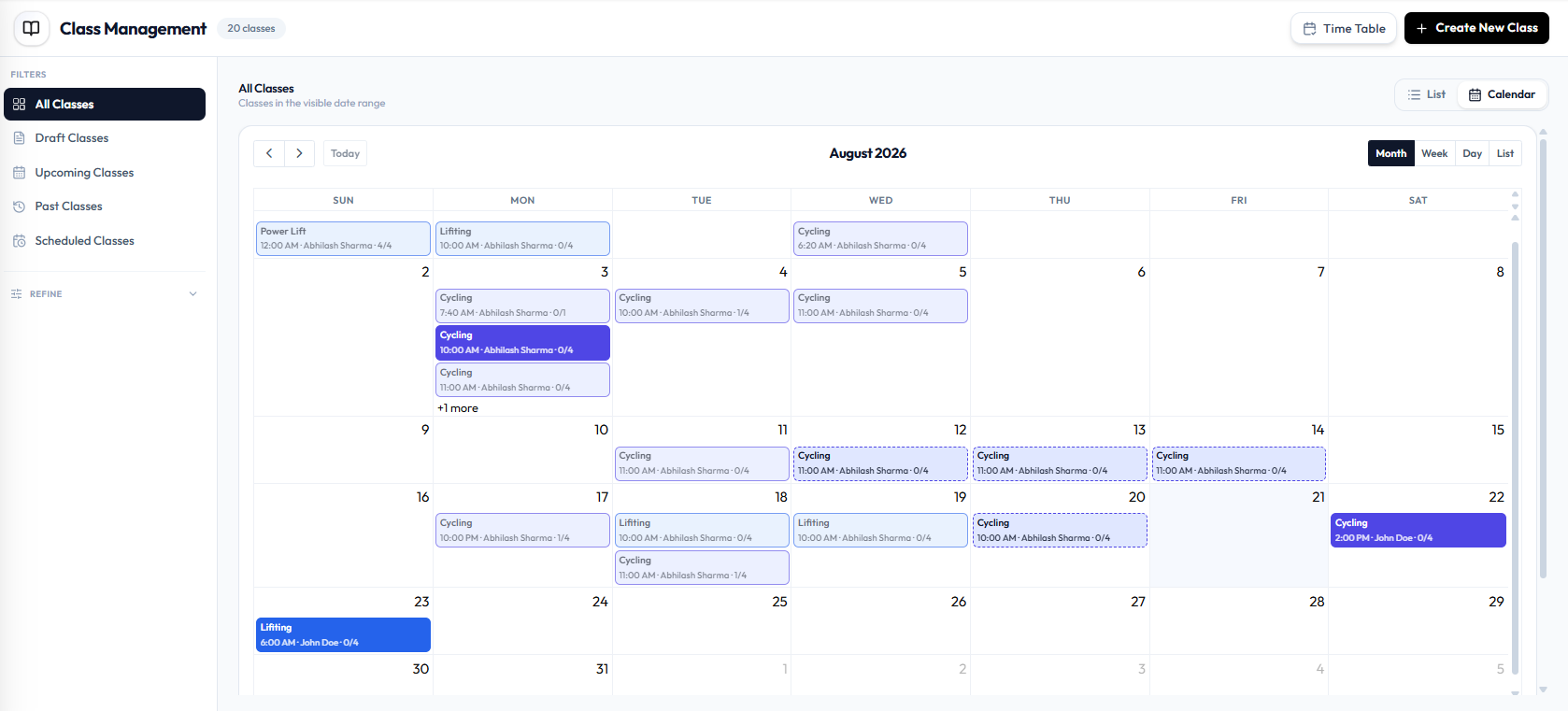
On Calendar you can:
- Move with Today and the arrows
- Switch Month, Week, Day, and List
- See class name, time, trainer, and capacity (such as 0/4) on each card
- Open +1 more when a day has more classes than fit in the cell
A draft can still sit on a future date. Use Draft Classes if you only want drafts.
Some calendar cards use a dashed border. What that style means is not labelled on the screen.
Related Articles
Last updated on