Open a Class from the Dashboard
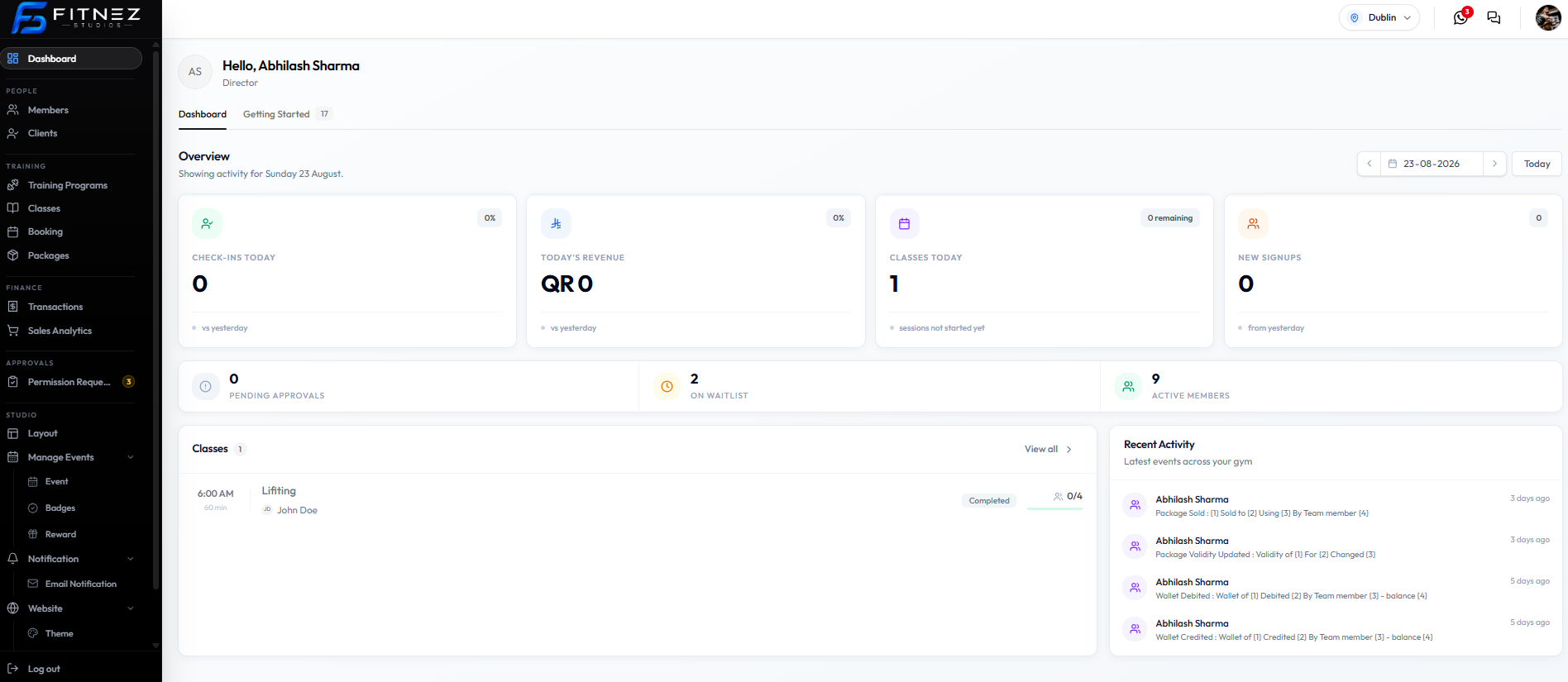
Click-through from the Dashboard is on the Classes (or Today’s Classes) block, not on Recent Activity rows.
| What you click | Where you go |
|---|---|
| A class (for example Lifting) | That class’s detail page (class id in the address) |
| View all > | Class Management — Training → Classes |
On 23-08-2026 the row shows Lifting, 6:00 AM, 60 min, John Doe, Completed, 0/4.
Step 1 — Open Dashboard and pick a date
Use the Overview date picker if you need another day.
Step 2 — Find Classes
Bottom left. Empty state: No classes scheduled. Nothing on the timetable today.
Step 3 — Open details or the full list
Click the class for one session. Click View all > for the class list.
Recent Activity package and wallet rows do not open a class page on the information you provided. Use Classes for sessions; use Clients for the member record.
Related Articles
Last updated on