Edit & Delete a Group
Edit a group when the name or colour should change. Delete a group when that label should no longer exist.
Deleting a group is not the same as removing a client. You cannot delete a client in Fitnez Studio. Do not assume clients in the group are deleted when you delete the group.
Work from People → Clients → Manage group. The group list and ACTION menu (⋯) are on that page. See Client Groups.
Edit a Group
Step 1 — Open Manage Groups
Open People → Clients, then click Manage group.
Step 2 — Open the group
Use Search groups… if you need to find the name. Open the ACTION menu (⋯) on that row and choose Edit.
Step 3 — Change the details
The window title is Edit Client Group.
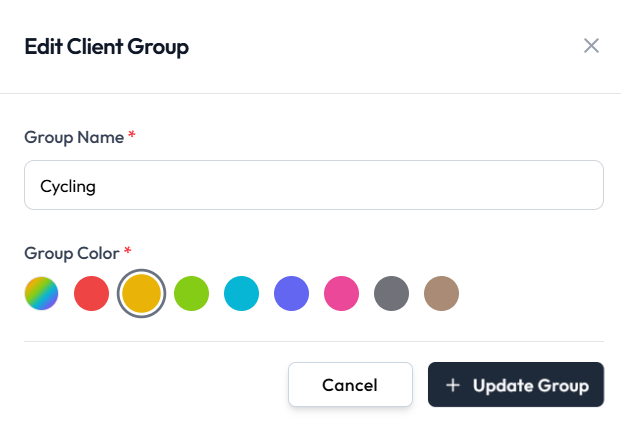
- Group Name (required)
- Group Color (required) — click a colour circle. The selected colour has a ring around it
Step 4 — Save
- + Update Group saves the group
- Cancel or the X closes the window without saving
Delete a Group
Use delete when the group should no longer be used — for example a programme that has ended.
Step 1 — Find the group
Open Manage Groups and locate the group you no longer need.
Step 2 — Choose Delete
Open the ACTION menu (⋯) and choose Delete (shown in red).
Step 3 — Confirm
The confirmation title is Are you sure?
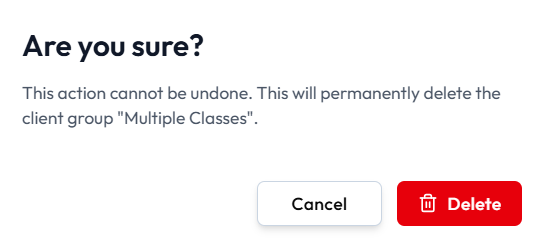
The message is: This action cannot be undone. This will permanently delete the client group and the group name.
- Cancel closes the dialog without deleting
- Delete (red, with a trash icon) permanently deletes the group
What Happens to Clients in the Group
Group deletion and stopping a client are separate.
The confirmation does not say what happens to clients in the group. This guide does not say that clients are deleted, kept, or moved. Confirm the result in Fitnez Studio before you delete a group that still has people in it.
Until that result is confirmed:
- Do not treat group delete as a way to remove customers.
- To stop a person without removing their record, use Deactivate.
- To take a person out of a group only, use Manage Group Members.