Wallet & Purchase History
On the full client page, wallet money is in the header. Purchases and other money rows are under the Transactions tab.
Studio-wide sales stay under Finance → Transactions. See Sales & Payments. Wallet money is not the same as package sessions. See Member Wallet.
Wallet on the Client Header
The header card includes WALLET BALANCE (for example 185.00 QAR), + Add Balance, and a clock control.
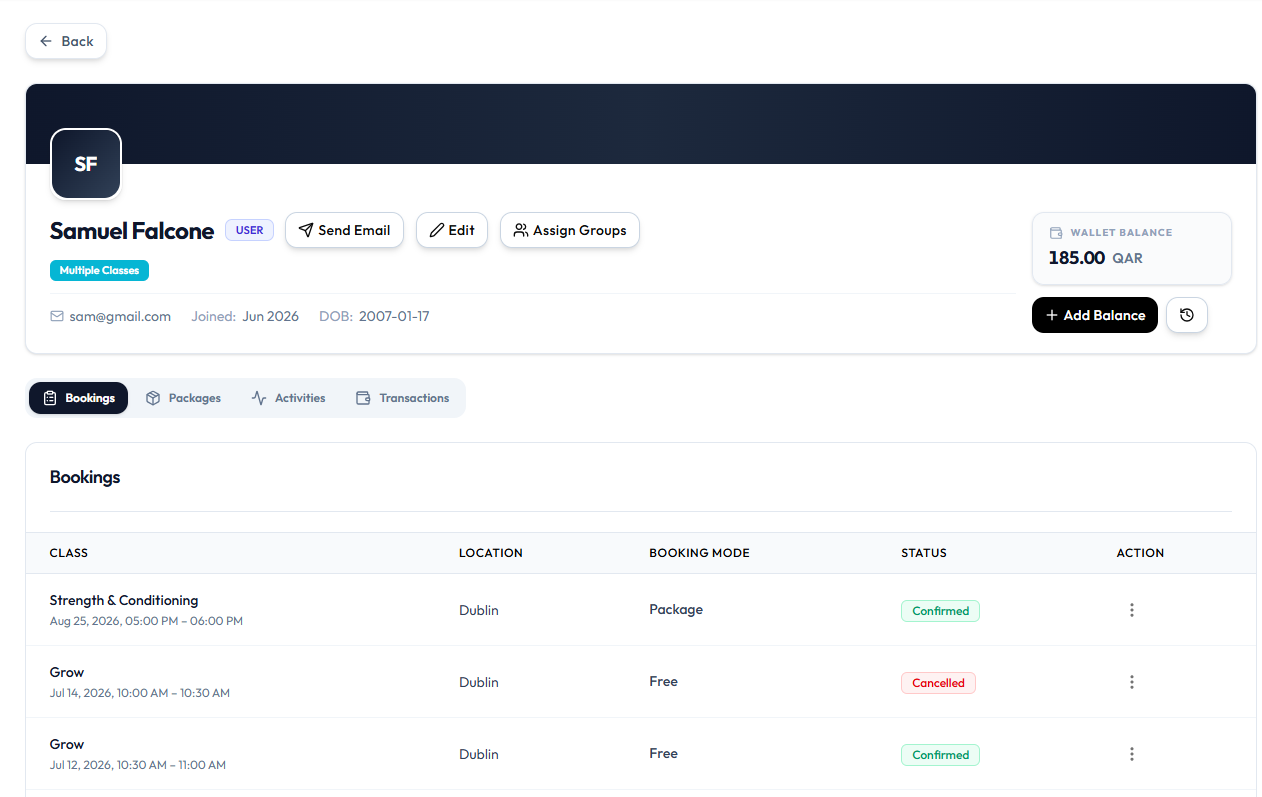
| Control | What it is for |
|---|---|
| WALLET BALANCE | Current amount in QAR |
| + Add Balance | Opens Manage Wallet Balance (Credit or Debit) |
| Clock control | History of wallet changes, if that icon opens a list |
Transactions Tab
Select Transactions on the same page for this client’s money records.
Match rows to Finance → Transactions using USER, AMOUNT, and ⋯ → Copy txn ref. See The Sales Ledger.
The Transactions tab layout is not captured yet. The header wallet amount and + Add Balance are confirmed.
Related Articles
Last updated on