Deducting Money from a Member’s Wallet
Deduct money with Transaction Type → Debit in Manage Wallet Balance.
This is not the same as removing a package or adjusting sessions.
Workflow — Debit Wallet
Step 1 — Open the member
Open People → Clients, find the client, and open the full client page.
Step 2 — Click Add Balance
Click + Add Balance next to WALLET BALANCE. The same dialog is used for debit.
Step 3 — Open Manage Wallet Balance
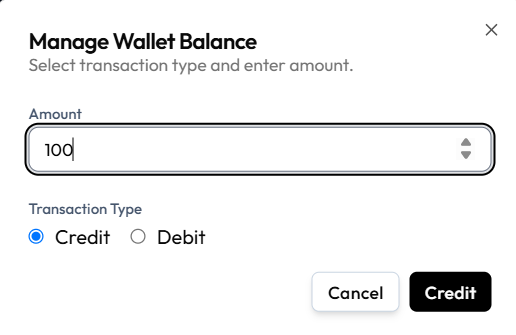
Step 4 — Enter Amount
Type how much to deduct.
Step 5 — Select Debit
Under Transaction Type, choose Debit. The primary button should show Debit.
Step 6 — Confirm
Click Debit, or Cancel to close without saving.
Whether Fitnez Studio allows a balance below zero is not shown on this capture. Do not deduct more than the available balance unless the product clearly allows it.
What Happens Next?
The wallet balance should decrease. Check Finance → Transactions with Source → Wallet if you need the studio ledger row.
If you cannot debit directly, request the change.