Booking History
Use the Bookings tab on the full client page to see what this person booked — class, location, how they paid, and status.
Studio-wide bookings stay under Training → Booking. See Bookings.
Open Bookings for a Client
Step 1 — Open the client
Open People → Clients, find the person, then open the full client page (from View Profile or the row Fitnez Studio uses for the ID screen).
Step 2 — Open the Bookings tab
Select Bookings.
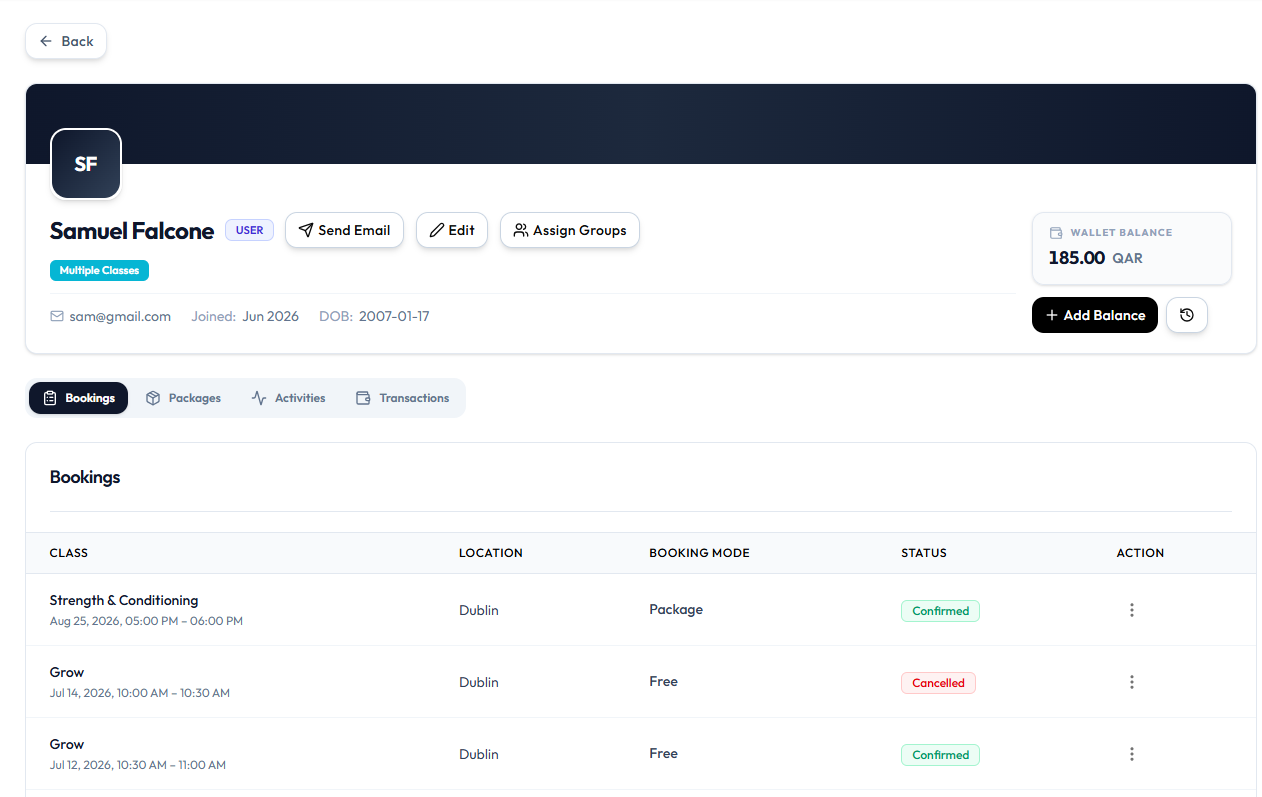
What the Table Shows
| Column | Examples on the capture |
|---|---|
| CLASS | Name plus date and time (for example Strength & Conditioning, Aug 25, 2026, 05:00 PM – 06:00 PM) |
| LOCATION | For example Dublin |
| BOOKING MODE | Package or Free |
| STATUS | Confirmed (green) or Cancelled (red) |
| ACTION | ⋯ menu |
Row Menu
Open ⋯ on a booking row:
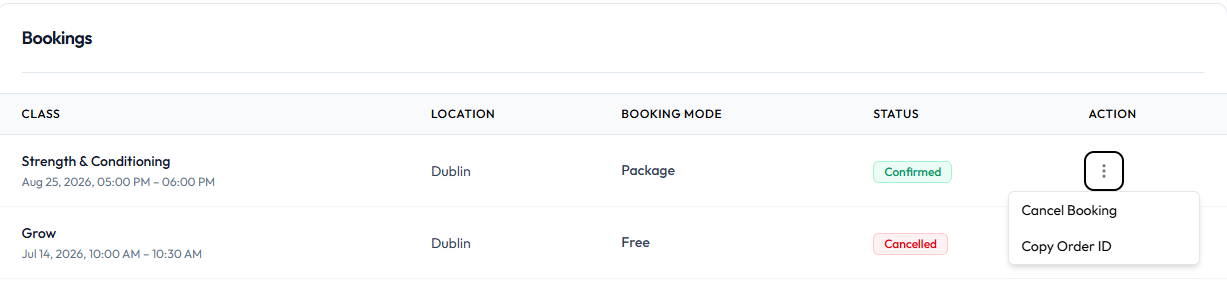
| Action | What it does |
|---|---|
| Cancel Booking | Cancels that reservation. See Cancel a Booking |
| Copy Order ID | Copies the order / booking reference |
You can also cancel from Today’s Schedule or All Bookings. See Cancel a Booking.
Related Articles
Last updated on