Package Statuses
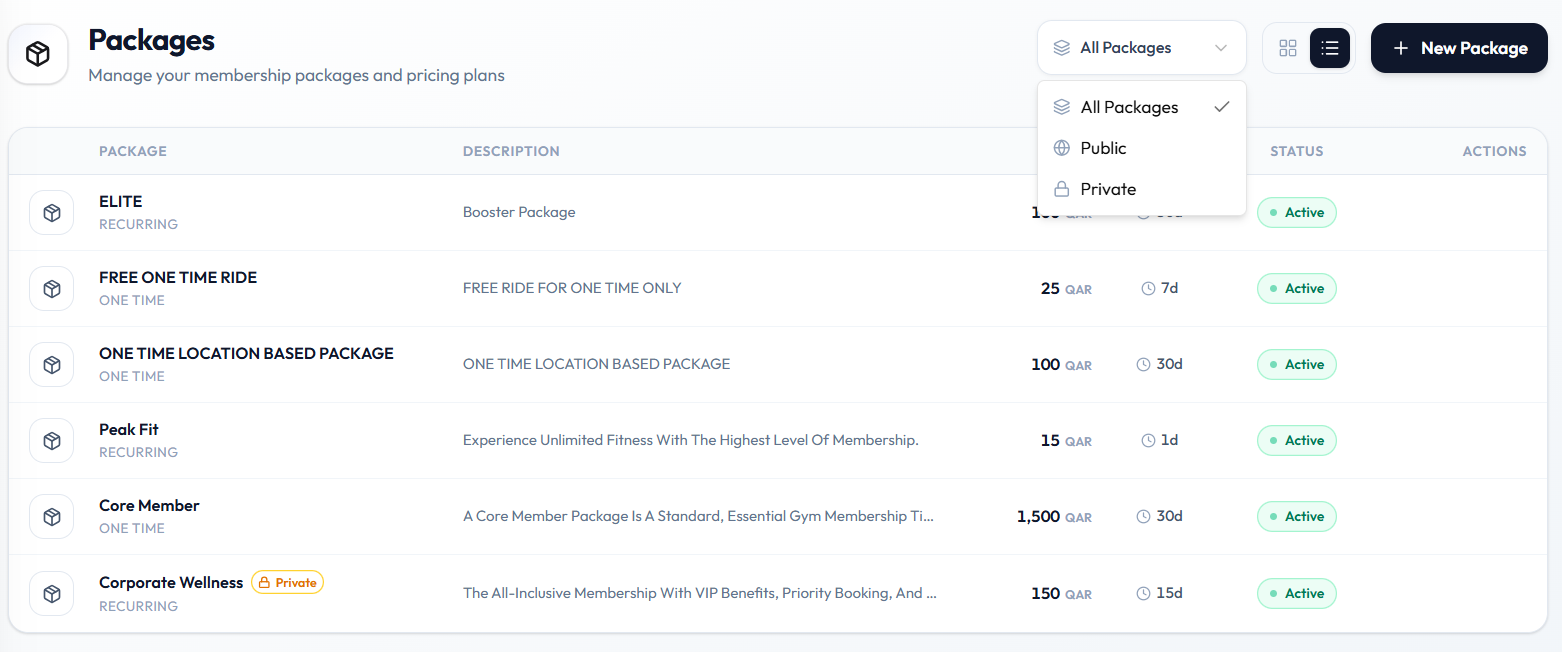
Status tells staff whether a package is for sale. On Training → Packages, cards and list rows show Active.
Status on the Catalogue
| Status | What you see |
|---|---|
| Active | Green pill on grid cards and in the list STATUS column |
On Edit Package, Status is a field under Status & display (for example Active).
Public and Private
The filter next to the view toggles includes:
| Filter | Use |
|---|---|
| All Packages | Full catalogue |
| Public | Non-private packages |
| Private | Packages marked private |
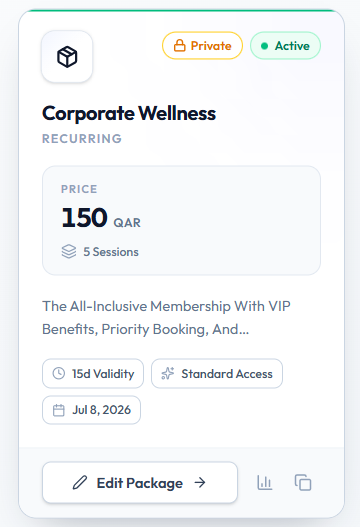
Private Package on create means: Hidden from the public listing — only shared directly with members. Private cards show a Private badge next to Active.
Draft and Blocked
The older topic plan also uses Draft and Blocked. Those labels are not on the current Packages screenshots.
Until Draft or Blocked appear on screen, treat Active as the confirmed status badge, and use Status on Edit Package for the value Fitnez Studio shows there.
Related Articles
Last updated on