Apply a Discount
Apply a discount when a pricing plan should use a reduction you already created — for example Get 15% Off — 15%.
Steps
Step 1 — Open the pricing plan
Open Training → Packages → Edit Package → Pricing.
Step 2 — Choose the discount
In Add New Pricing Plan (or when editing a plan), open Discount and select the discount.
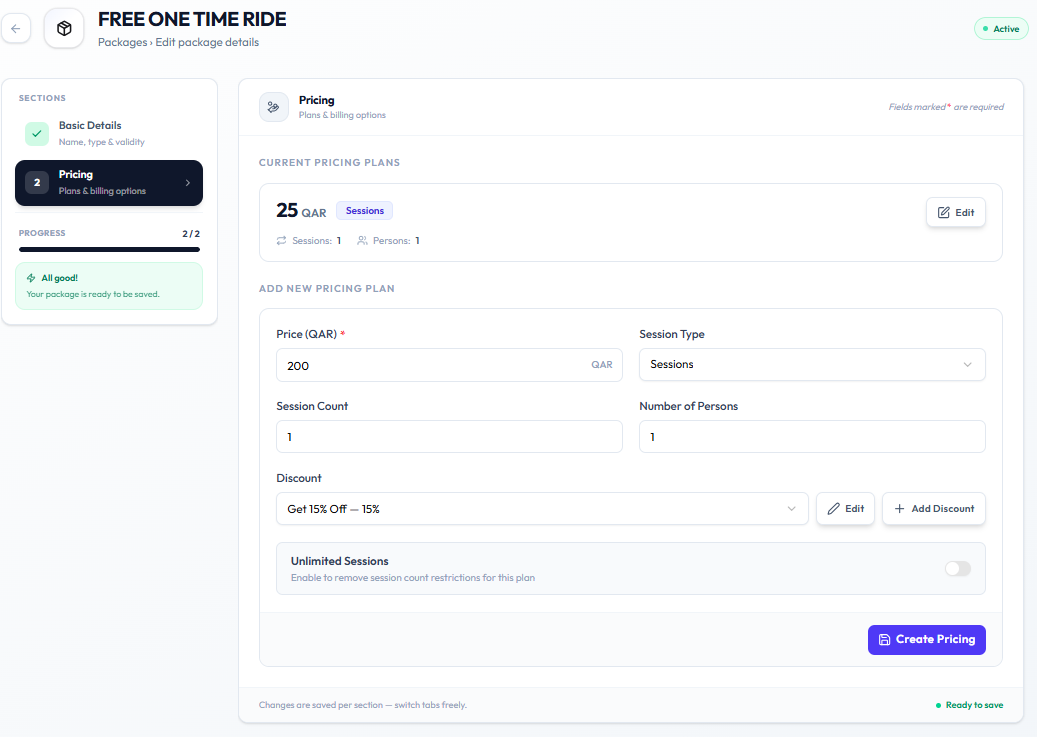
If the discount does not exist yet, click + Add Discount. See Create a Discount.
Step 3 — Save the plan
Click Create Pricing for a new plan, or save the edit on an existing plan.
Related Articles
Last updated on