Edit a Pricing Option
Edit a pricing plan when the amount, sessions, persons, or discount on that plan should change.
Steps
Step 1 — Open Pricing
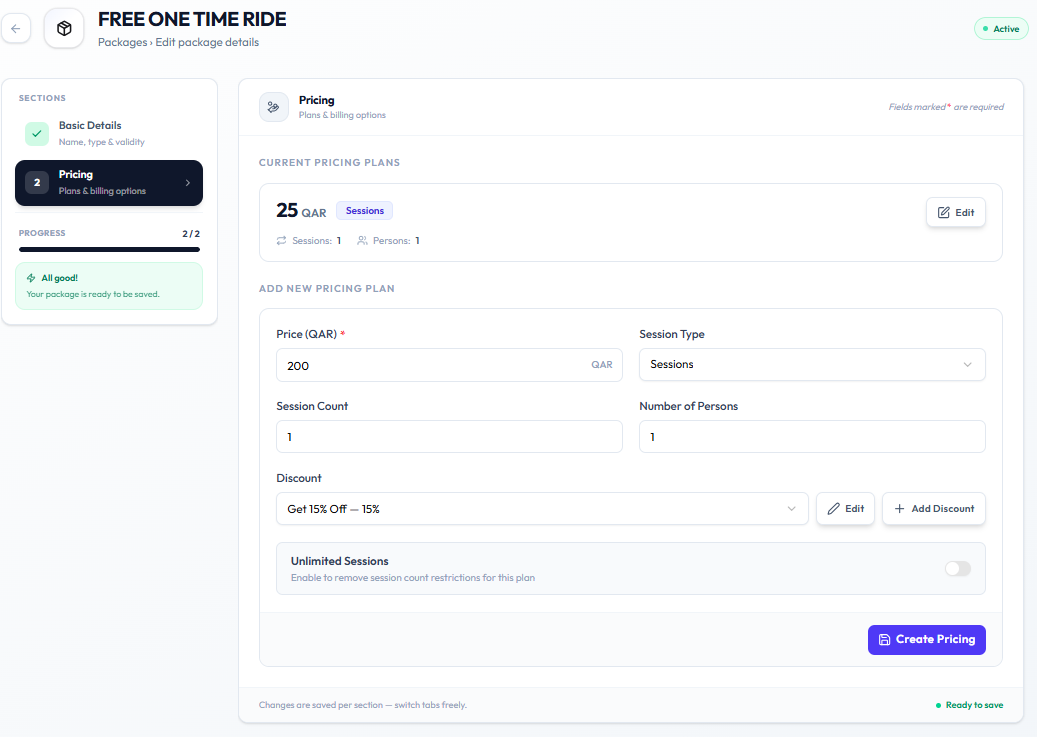
Open Training → Packages → Edit Package → Pricing.
Step 2 — Edit the plan
Under Current Pricing Plans, click Edit on the plan (for example 25 QAR Sessions).
Step 3 — Save the change
Update the fields Fitnez Studio shows for that plan, then save using the action on screen.
Related Articles
Last updated on