Support Email & Phone Number
Open Studio → Website → Details → Contact information.
Subtitle: Your contact details and social profiles.
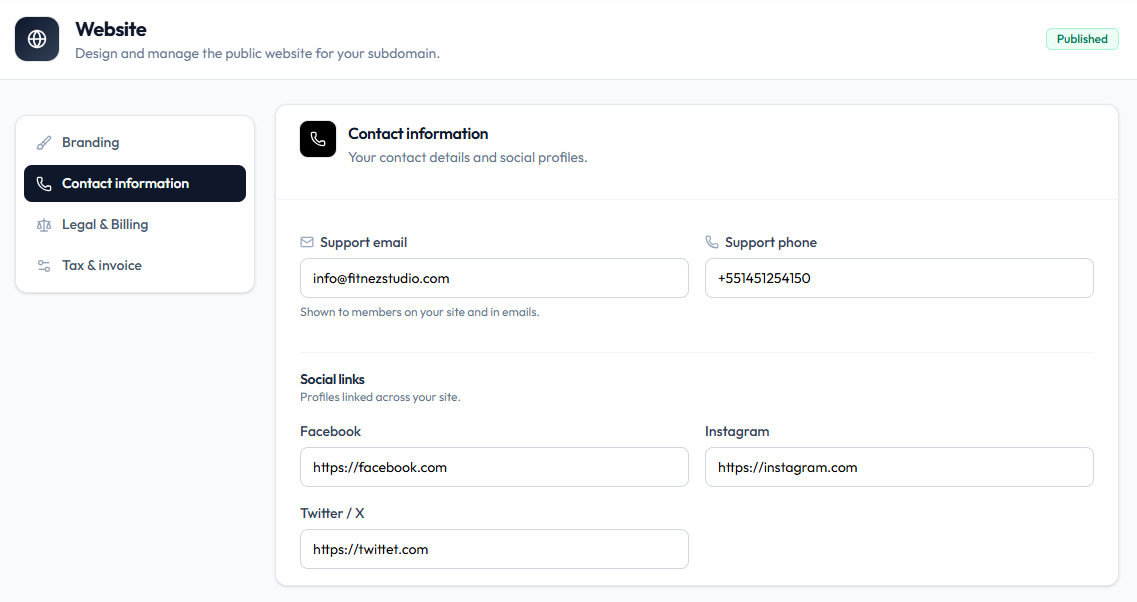
Contact Details
| Field | Example on capture | Help text |
|---|---|---|
| Support email | info@fitnezstudio.com | Shown to members on your site and in emails |
| Support phone | +551451254150 | — |
Email footer Contact Email on Email Header & Footer is a separate notification setting. Keep both accurate if you use both.
Social profiles on the same page are documented under Social Media Links.
Steps
Step 1 — Open Contact information
Studio → Website → Details → Contact information.
Step 2 — Enter support details
Fill Support email and Support phone.
Step 3 — Save
Save with the action Fitnez Studio shows for Details (for example Save changes on Branding, or the save control on this panel).
Related Articles
Last updated on