Class Statuses
Status tells staff whether a class is still being prepared, still to run, or already finished. On Class Management you see status in two places: the STATUS column, and the filters on the left.
Statuses on the List
These pills are visible on Class Management:
| Status | What the list shows |
|---|---|
| Upcoming | The session has not run yet |
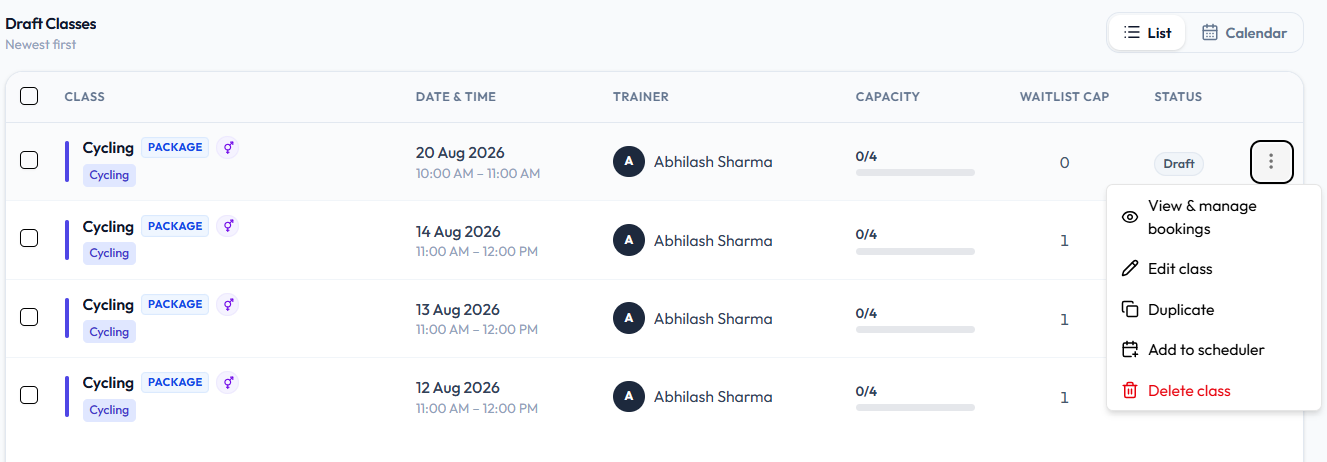
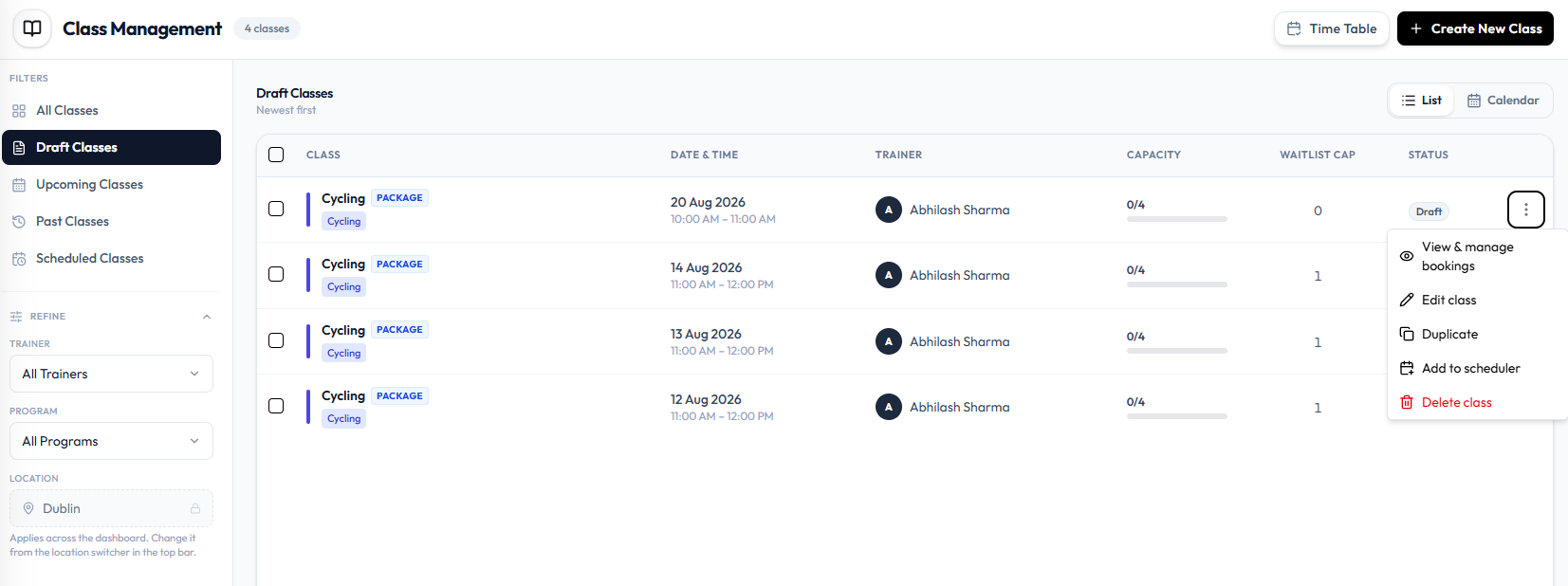
| Draft | The class is still a draft. The row still has a date, time, trainer, and capacity |
| Past | The class date and time have already passed |
Open Draft Classes to work only with drafts. Open ⋯ for draft actions including Delete class.
Filters on Class Management
| Filter | What it is for |
|---|---|
| All Classes | Every class |
| Draft Classes | Draft sessions |
| Upcoming Classes | Sessions that have not happened yet |
| Past Classes | Sessions that have already run |
| Scheduled Classes | Repeating schedules, not individual class rows |
Status on the Class Form
When you create or edit a class, Status is a field under PREFERENCES:
| Status | Save action |
|---|---|
| Published | Publish Class |
| Draft | Save as Draft |
A Published class can still show Upcoming or Past on the list, depending on the date. See Publish a Class.
Past Classes
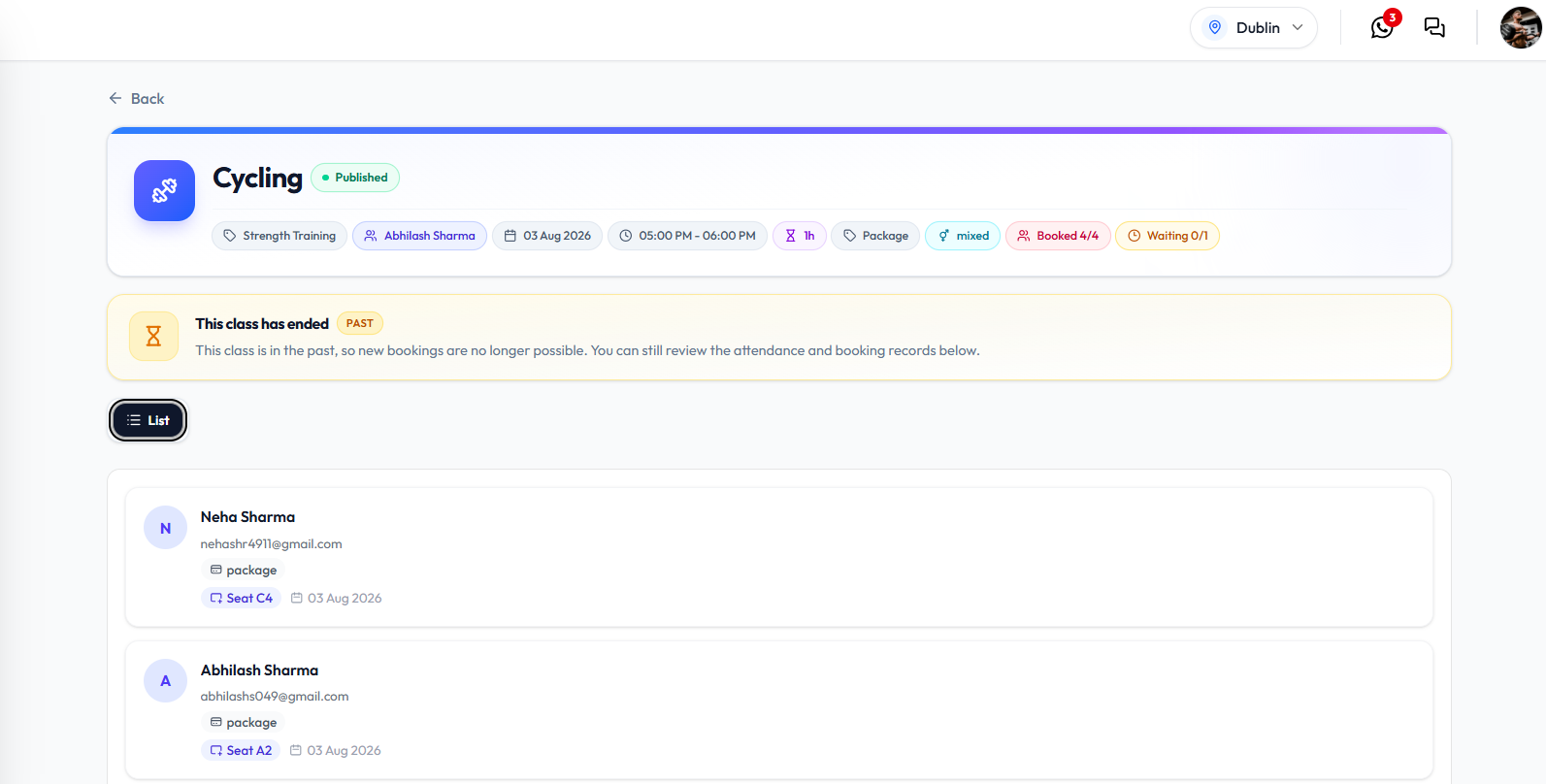
When you open a past class, a banner can show This class has ended with a PAST badge.
The banner text is: This class is in the past, so new bookings are no longer possible. You can still review the attendance and booking records below.
Schedule Statuses
On Scheduled Classes, a schedule row can show Scheduled or Paused. Those labels are for the timetable, not the class list pills. See Pause & Resume a Schedule.
Cancelled is in the topic plan. It is not a status pill or row action on the current screenshots.