Email Header & Footer
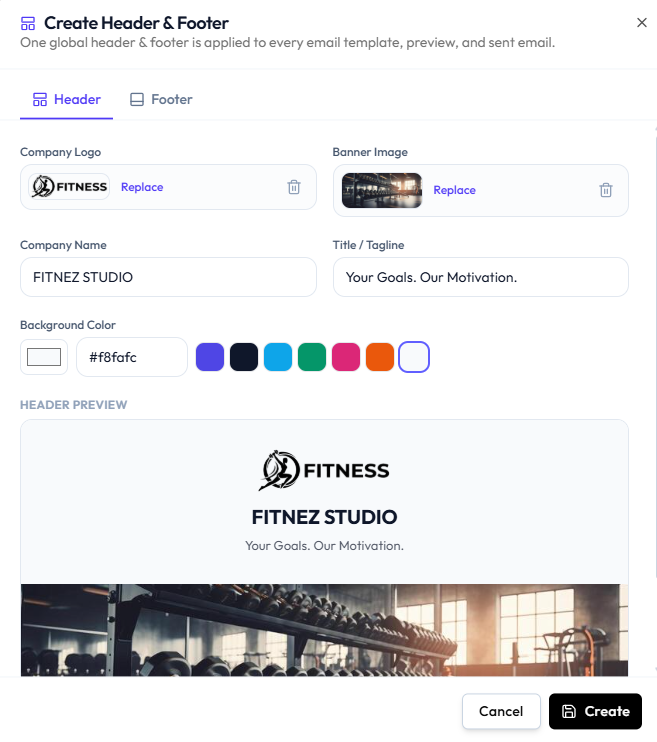
On Email Templates, Create Header & Footer (or Edit Header & Footer after it exists) opens global branding.
The subtitle is: One global header & footer is applied to every email template, preview, and sent email.
This is separate from the public website logo. Changing website branding does not automatically change this email header unless you update it here. See Website Logos & Section Images and Media & Images.
Header
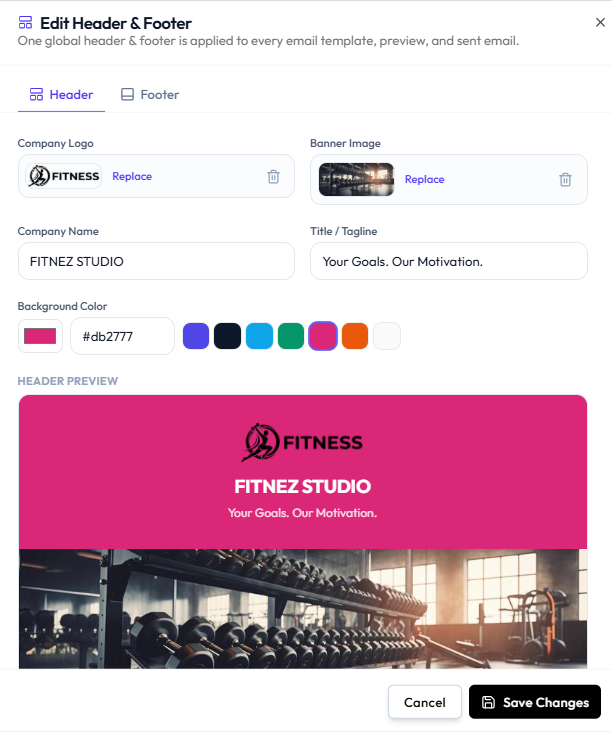
The Header tab includes:
| Field | What it is |
|---|---|
| Company Logo | Upload, Replace, or remove |
| Banner Image | Upload, Replace, or remove |
| Company Name | For example FITNEZ STUDIO |
| Title / Tagline | For example Your Goals. Our Motivation. |
| Background Color | Hex value (such as #db2777) and colour presets |
HEADER PREVIEW shows logo, name, tagline, background colour, and banner.
If you have not created branding yet, the modal title is Create Header & Footer and the button is Create.
Footer
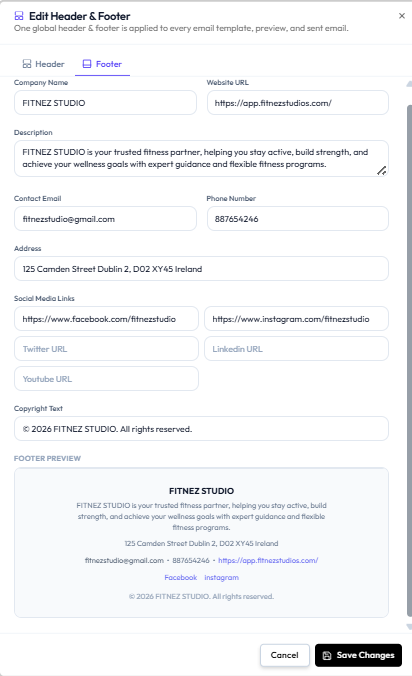
The Footer tab includes:
| Field | Example on screen |
|---|---|
| Company Name | FITNEZ STUDIO |
| Website URL | Studio website URL |
| Description | About the studio |
| Contact Email | Studio contact email |
| Phone Number | Studio phone |
| Address | For example Dublin |
| Profile URL, or empty | |
| Profile URL, or empty | |
| Twitter URL | Optional |
| LinkedIn URL | Optional |
| Youtube URL | Optional |
| Copyright Text | For example © 2026 FITNEZ STUDIO. All rights reserved. |
FOOTER PREVIEW shows name, description, address, email, phone, website, social links that have URLs, and copyright.
Do not assume this contact email is the from address of the message. It appears in the footer content.
Workflow — Set Header and Footer
Step 1 — Open Email Templates
Studio → Notification → Email Notification.
Step 2 — Open Create or Edit Header & Footer
Step 3 — Fill Header, then Footer
Use Replace to change logo or banner. Empty social URL fields are omitted from the preview in this screenshot (only Facebook and Instagram show as links).
Step 4 — Save
Save Changes (edit) or Create (first time). Cancel or X closes without saving.
You see the header (and footer when filled) on Preview.